Documents on the timeline
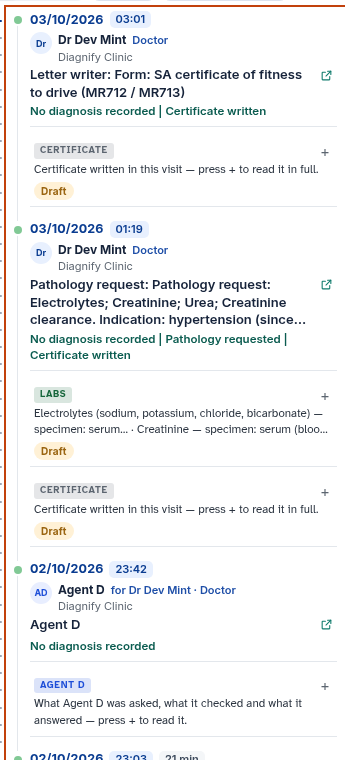
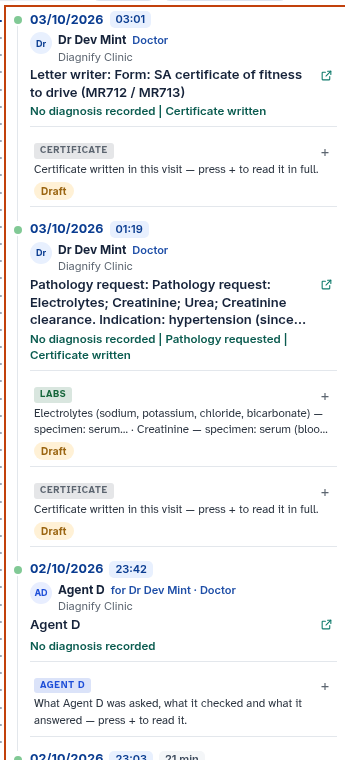
Documents created during a consultation appear directly on the visit card as interactive chips.
What it does
This screen allows clinicians and staff to manage consultation outputs, such as draft letters, referral forms, handouts, and investigation requests. You can edit drafts before sending, dispatch approved items to patients, reissue modified versions of previously sent documents, resend existing files, or cancel items with full audit traceability. It also enables clinicians to safely discard accidental empty encounters.
When to use it
Use this screen when you need to review a draft document before sending it to a patient, update an issued referral with additional clinical context, resend an uncollected request form, or remove an unintentional empty consultation from the patient timeline.
Step by step
- Select a document chip on a visit card to open the document action panel.
- To remove an accidental empty consultation, select Discard empty visit and review the confirmation prompt.
Also on this screen
- Send now: Transmits an approved draft document directly to the patient via secure electronic messaging or the patient app.
- Change: Opens a draft document in edit mode so you can modify text or clinical selections prior to sending.
- Change and reissue: Creates a new revised version of a previously issued document while preserving the original record for audit compliance.
- Resend: Transmits an identical copy of an already sent document to the patient verified contact address.
- Cancel: Marks a draft or issued document as cancelled, retaining an audit record while removing active flags.
- Discard empty visit: Safely soft-deletes an accidental visit that contains no notes, vitals, prescriptions, investigations, or billing data.
What Agent D can do
- Agent D reads document details across visits using
consult.timeline_visit_document. - Agent D inspects candidate encounters using
consult.visit_discard_checkto confirm they contain no clinical or financial records. - Agent D drafts document cancellations (
consult.cancel_document) and empty visit discards (consult.visit_discard), presenting a Confirm card for your review. - Agent D will strictly refuse to discard any visit containing recorded notes, orders, or billings.
Safety (what needs your Confirm)
- Documents are never sent automatically without clinician review. Selecting Send now requires explicit confirmation.
- Reissuing, resending, or cancelling a document requires clinician approval.
- Discarding an empty visit requires positive confirmation showing the patient name, date of birth, and visit start time. Any encounter with clinical content is permanently protected against deletion.
Common questions
Can I discard a visit that has clinical notes or billing items?
No. Diagnify strictly prevents discarding any visit containing recorded clinical notes, vital signs, prescriptions, test requests, or MBS billings.
What happens when I reissue a sent referral?
The original document remains preserved in the audit log marked as superseded, and a new document version is generated for sending.
Will the patient be notified if I cancel a document?
Cancelling removes the active document from the patient app portal. If the document was previously sent by SMS, the link will show as cancelled when opened.
Related
Last reviewed: 03/10/2026.