Search in one field
Specific field searching allows clinicians and staff to pinpoint records using distinct identifiers.
What it does
While the general search box searches across all fields, single-field search lets you restrict your query to a single demographic attribute: full name, first name, last name, date of birth, phone number, email address, suburb, or patient ID. It also includes an "Include archived" toggle to retrieve historical or deactivated records without restoring them.
When to use it
Use this screen when looking up a patient with a common surname, when searching by phone number or date of birth, or when locating a transferred or archived patient chart.
Step by step
- In Patients, open the search options dropdown beneath the search box.
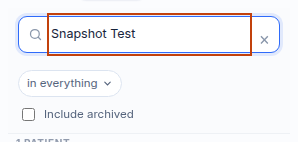
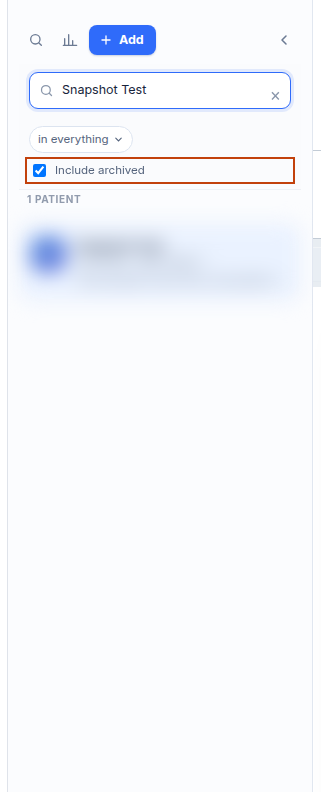
- Tick Include archived if you wish to search inactive records alongside current ones.
Also on this screen
- Search in one field: Filter selector allowing you to limit searches strictly to name, first name, last name, date of birth (DD/MM/YYYY), phone, email, suburb, or patient ID.
- Include archived: Checkbox that includes archived or deceased patient records in search results without reactivating them.
What Agent D can do
- Agent D searches by specific fields using
patients.search_patientswith exact field filters and inactive toggles. - Agent D retrieves archived patient demographics upon request while noting their inactive status.
- Agent D cannot permanently delete or purge archived patient charts.
Safety (what needs your Confirm)
- Searching archived files displays historical medical records safely in read-only mode.
- Reactivating an archived chart requires explicit staff confirmation.
Common questions
How should I format date of birth when searching?
Enter the date formatted as DD/MM/YYYY (such as 15/01/1984).
Will searching archived records change their active status?
No. Including archived records in a search only displays them in the results list; it does not change their archived status.
Can I search by mobile phone number?
Yes. Select "Phone" in the search field dropdown and type the phone number with or without spaces.
Related
Last reviewed: 03/10/2026.