Front desk on the day book
For staff
This page is for front-desk staff and people who manage clinic settings.
What it does
Tick a row on the practice day book and the front-desk buttons appear: Mark arrived, Did not attend, Reschedule, Send SMS, Bill and Clear.
When to use it
Use it as patients come in: mark them arrived, record no-shows, text reminders, and open a bill for one visit.
Step by step
-
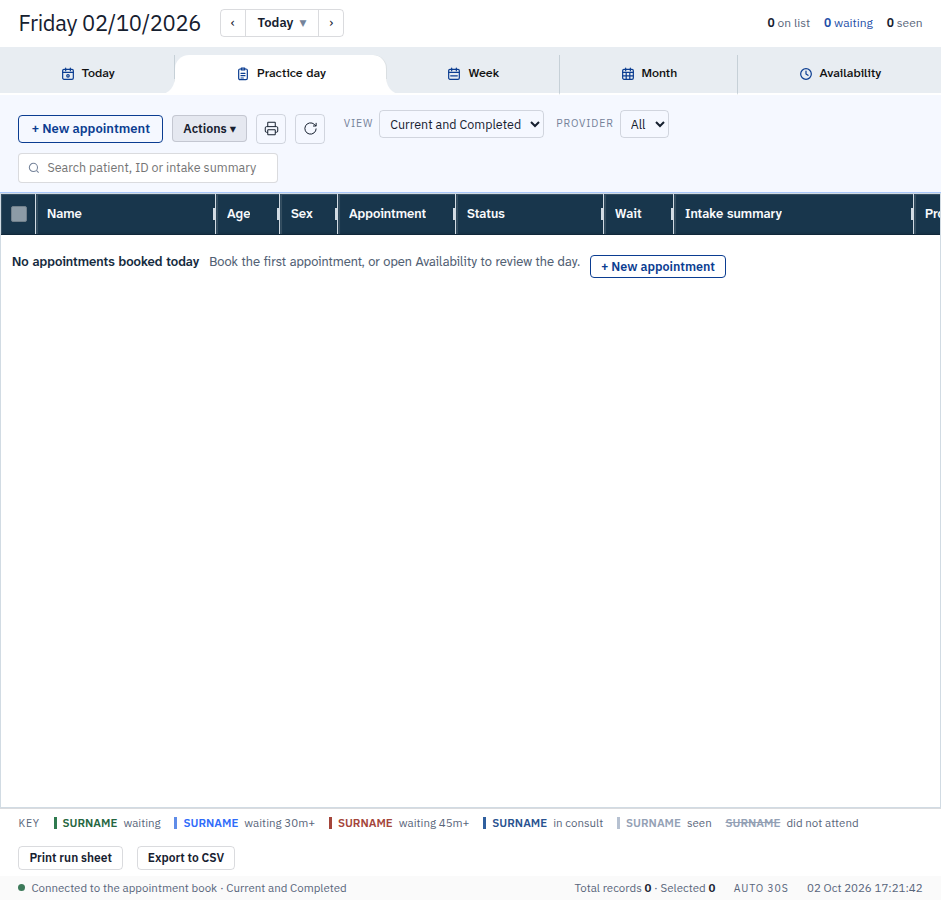
Tick a row when the book has one. The buttons appear. The test day below had no row, so the buttons stayed hidden.
-
Press Mark arrived to put the ticked patients in the waiting room. Arriving clears a no-show.
-
Press Send SMS to text the ticked patients their appointment reminder. It asks you a second time before it sends.
Also on this screen:
- The status column says booked, in the waiting room, completed, did not attend, or cancelled.
- The wait column shows the minutes since the patient was marked arrived. It is blank if they have not arrived.
- Did not attend marks the ticked patients as not attended, with a note.
- Reschedule should move the appointment. Today the button only says the form is not open.
- Bill opens Quick Bill for the one ticked appointment.
- Move to another provider moves one appointment to another clinician in the practice.
- Intake sends a voice history before the visit, and opens the consult when one has come back.
- A waiting alert warns when someone has waited too long, and can be dismissed.
- Notify provider should tell the clinician someone is waiting. Today it only says there is no channel.
- The invoice and outstanding-work columns show if the visit is billed, if a test is still out, if a follow-up is due, and if a task is open.
What Agent D can do
- Mark arrived, mark did not attend, or clear the attendance mark — each only after your Confirm.
- Move an appointment to another working member of the practice, after your Confirm.
- Read what a visit's pre-consult intake said.
- Agent D cannot send SMS. Texts are sent by people only.
Safety (what needs your Confirm)
- Send SMS sends a real text to the patient. It is always yours, and it asks you twice.
- Bill, Pay and Claim are yours. See Bill from the day book.
- Nothing on this screen is sent by Agent D.
Common questions
Why can't I see the buttons? Tick at least one row first.
What does the wait number mean? Minutes since the patient was marked arrived. Blank means they have not arrived.
Can Agent D text the patient for me? No. Texting patients is a human-only job.
Related
Last checked: 03/10/2026.