Video call
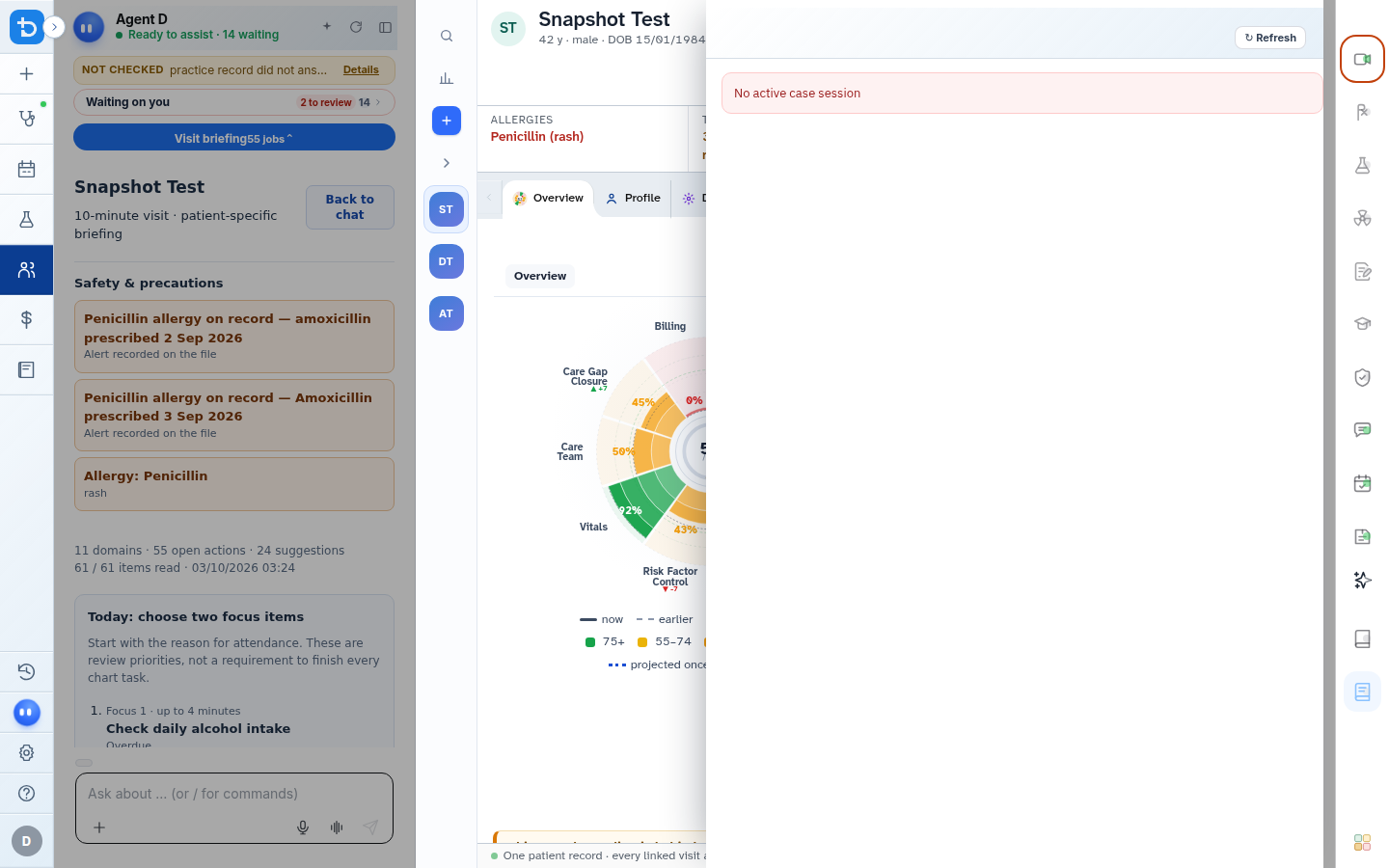
The Video call tool provides secure, encrypted telehealth video consultations directly inside the Diagnify clinical workspace.
What it does
The integrated telehealth tool allows clinicians to conduct video appointments alongside the patient chart. It features built-in camera and microphone controls, wrong-chart safety warnings, call duration tracking, and automatic note transcription.
When to use it
Use this tool for scheduled telehealth video visits, urgent remote reviews, or follow-up consultations with remote patients.
Step by step
- Select Video on the consultation header to launch the integrated telehealth drawer.
Also on this screen
- Call controls: Standard in-call toolbar with microphone mute, camera toggle, and end call controls.
- Multi-tasking workspace: The video feed remains visible in an anchored sidebar while you browse the patient chart, type notes, and prescribe.
- Copy call note: One-click action to paste call connection timestamps and duration into your consult note.
- Wrong-chart safety warning: Alerts you immediately if the open medical record does not match the patient connected on the video call.
- Telehealth review mode: View call connection logs and technical parameters without activating camera hardware.
What Agent D can do
- Agent D operates ambient Scribe transcription during the video call without requiring external recording equipment.
- Agent D tracks call duration to verify eligible telehealth Medicare billing items.
- Agent D cannot start video calls or disconnect patients autonomously.
Safety (what needs your Confirm)
- Video consultations are end-to-end encrypted; video and audio feeds are never recorded or stored on servers.
- Verify patient identity at the start of every telehealth encounter before discussing clinical details.
Common questions
Does the patient need to download an application?
No. Patients click a secure link sent via SMS and join directly through their standard smartphone or computer browser.
What happens if the patient call drops?
The video panel displays a reconnect button to restart the session without generating a new appointment link.
Can I type consultation notes while looking at the patient?
Yes. The video window docks neatly on screen so your typed notes and clinical tools remain fully accessible.
Related
Last reviewed: 03/10/2026.