Today's jobs and a request link
New (test site)
This feature is on the test site. It may not be on your clinic's site yet.
What it does
The Jobs runner and Patient request links streamline clinic workflows. The Jobs runner lists pending clinical tasks, displays step progress chips, and opens draft documents in matching tool drawers. Patient request links generate secure, one-time web links sent via SMS, allowing patients to complete intake questionnaires or upload medical records from home.
Also on this screen
- Agent D Jobs runner (AD-127): Lists pending clinical jobs, displays your step chips, and opens drafts in matching drawers.
- Agent D patient request links (AD-128): Generates secure patient request links for questionnaires and document uploads.
When to use it
Use the Jobs runner to process clinic backlogs, and use Patient request links prior to appointments for remote patient intake.
Step by step
- Look in the left chat for Do today's jobs, or for a request from the patient.
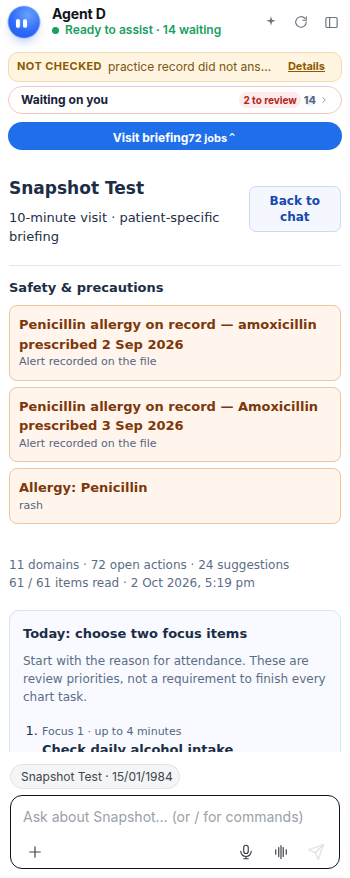
What Agent D can do
Agent D tracks pending clinic jobs, generates encrypted intake tokens, and drafts SMS request messages. It cannot dispatch links or modify records without confirmation.
Safety (what needs your Confirm)
Patient request links must be reviewed and sent by staff or doctors. Data uploaded by patients via request links is held in draft staging until clinician review.
Common questions
What can patients do with a request link?
Patients can complete questionnaires (such as intake forms or screening tools) and upload medical documents securely.
How long does a patient request link remain valid?
Links are time-limited single-use tokens that expire after completion or after a configurable time window.
Where do patient responses appear?
Completed patient responses appear in the Waiting on you list with a Record in file prompt.
Related
Last reviewed: 03/10/2026.