Start a consultation
Starting a consultation opens an active clinical encounter, links the patient record, and prepares the workspace for documentation.
What it does
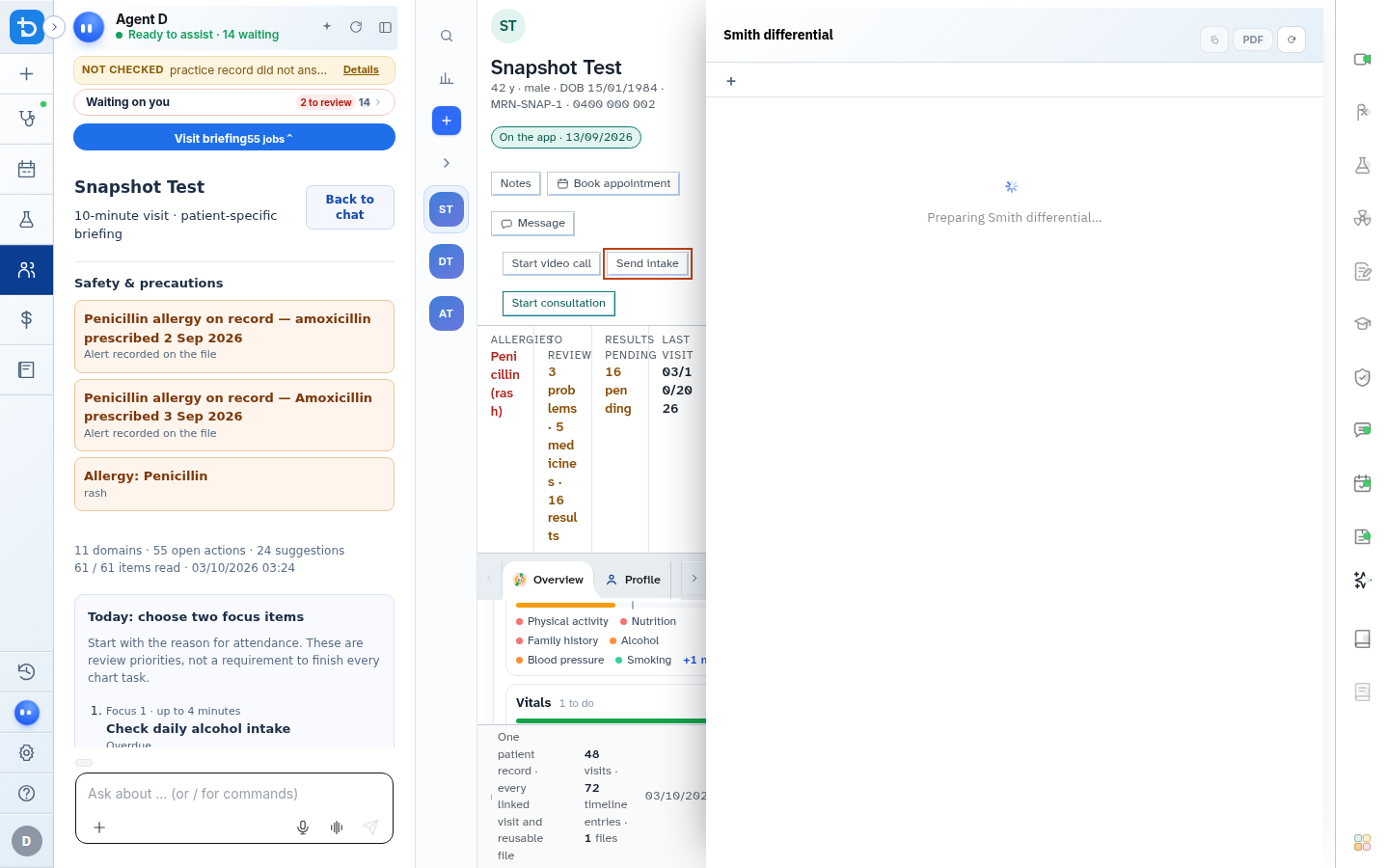
The consultation starter allows you to search your patient directory, select who is in the chair, open an existing visit, or start a new encounter. You can also send pre-consultation intake links directly to a patient mobile phone, initiate blank visits for quick questions, or review the patient clinical summary card.
When to use it
Use this workflow at the start of every patient appointment, when receiving a walk-in patient, or when returning to a parked visit.
Step by step
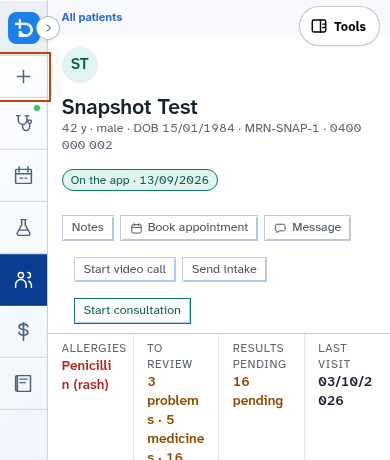
- Select New consultation from the consult header or left sidebar.
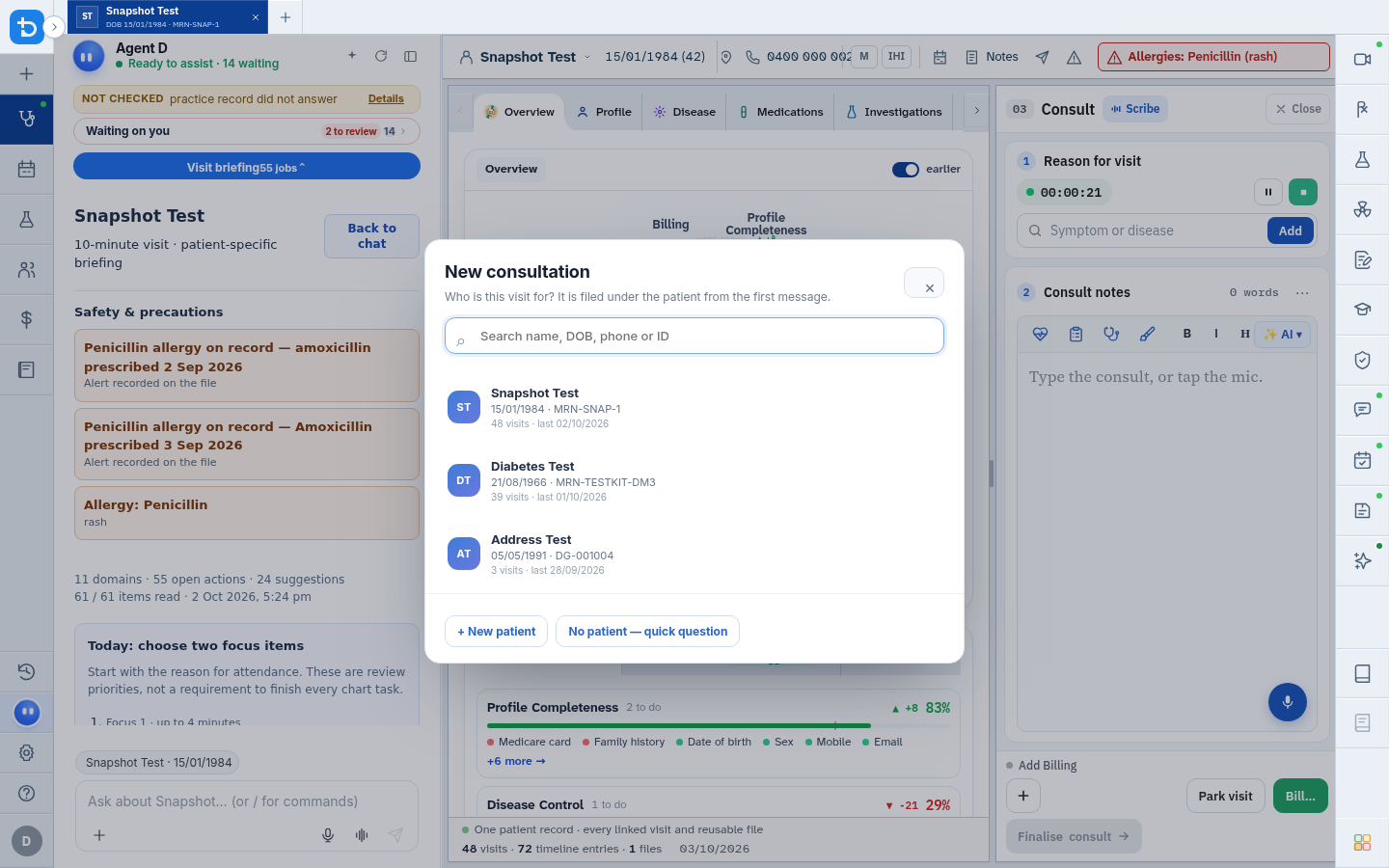
- Search for the patient by entering their name, date of birth, phone number, or record identifier.
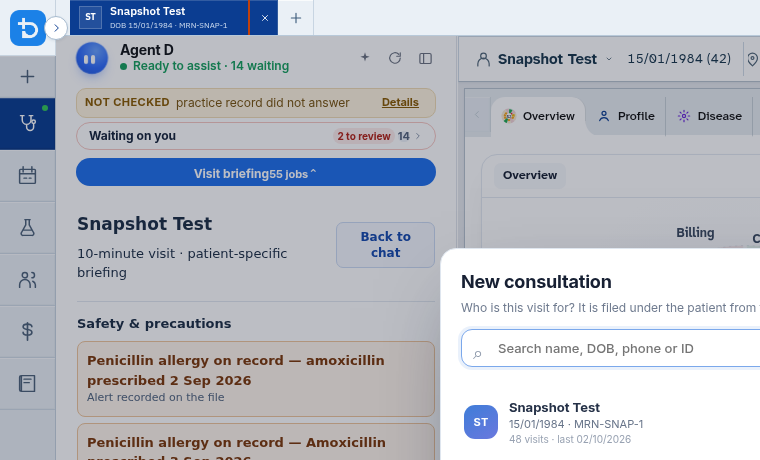
- Select the patient from the search results to load their active encounter.
- Review the patient banner and case summary card before beginning documentation.
Also on this screen
- Patient search: Fast indexed lookup matching given names, surnames, Medicare numbers, or dates of birth.
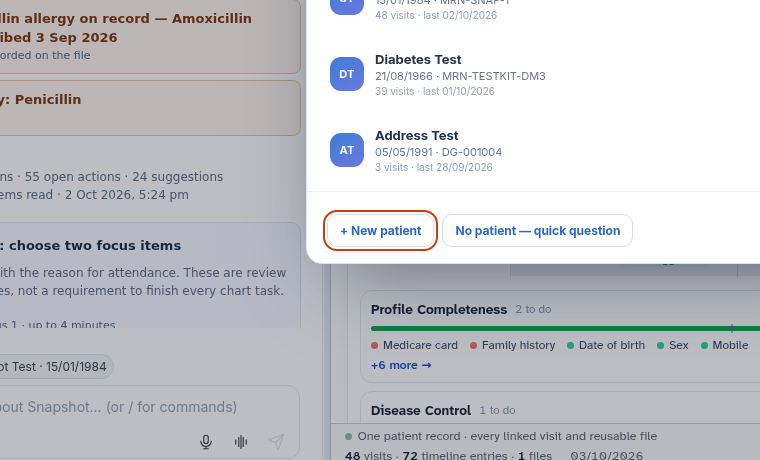
- New patient registration: Direct shortcut to create a new patient file if the person is attending for the first time.
- Quick question (no patient): Opens a blank clinical inquiry space without attaching to a patient chart.
- Visit switcher: Dropdown menu on the consultation header allowing you to switch between multiple visits for the same patient.
- New visit for this patient: Starts a fresh consultation record while keeping the same patient active.
- Open the patient record: Leaves the consultation view to browse full medical history, past letters, and billing ledgers.
- Active patient chip: Displays the active patient name and offers one-click access to their master chart.
- Send Intake: Sends a secure SMS link to the patient mobile phone to collect presenting symptoms or questionnaires before you start.
- Case card summary: High-density clinical overview card displaying demographics, active medications, problem list, and recent vitals.
What Agent D can do
- Agent D reads the open patient chart upon selection, priming its reasoning with active medications, allergies, and history.
- Agent D drafts a visit briefing highlighting outstanding recalls and recent pathology results.
- Agent D cannot send an intake SMS or start a linked visit without your direct click.
Safety (what needs your Confirm)
- Always verify the patient name and date of birth in the top banner before typing notes or prescribing.
- Sending an intake invite SMS is a human-only action requiring your explicit approval.
- Starting a linked visit creates an auditable consultation record in the database.
Common questions
What should I do if a patient has multiple appointments today?
Use the Visit switcher dropdown in the header to select the relevant appointment or click New visit for this patient.
Can I ask Agent D a general question without opening a patient chart?
Yes. Select No patient — quick question to consult clinical guidance without attaching notes to a patient record.
What does the patient experience when I select Send Intake?
The patient receives an SMS with a secure one-time link where they can answer presenting questions or upload photos from their phone.
Related
Last reviewed: 03/10/2026.