Guideline for this patient
When a patient record is open, the treatment engine tailors its management plan to the patient specific clinical context.
What it does
This screen incorporates the active patient medical record into the guideline generation process. Before writing recommendations, the engine evaluates recorded drug allergies, current medications, existing comorbidities, age, and renal function risk factors. It produces a comprehensive fourteen-section clinical plan that accounts for contraindications, flags appropriate drug dosing, and tags the finished protocol with a "Written for the patient" confirmation label.
When to use it
Use this screen when managing a condition for a complex multimorbid patient, when checking for medication contraindications in patients with multiple drug allergies, or when planning safe stepped-care management protocols.
Step by step
- Open a patient chart (such as Snapshot Test), then select Guideline on the left navigation bar.
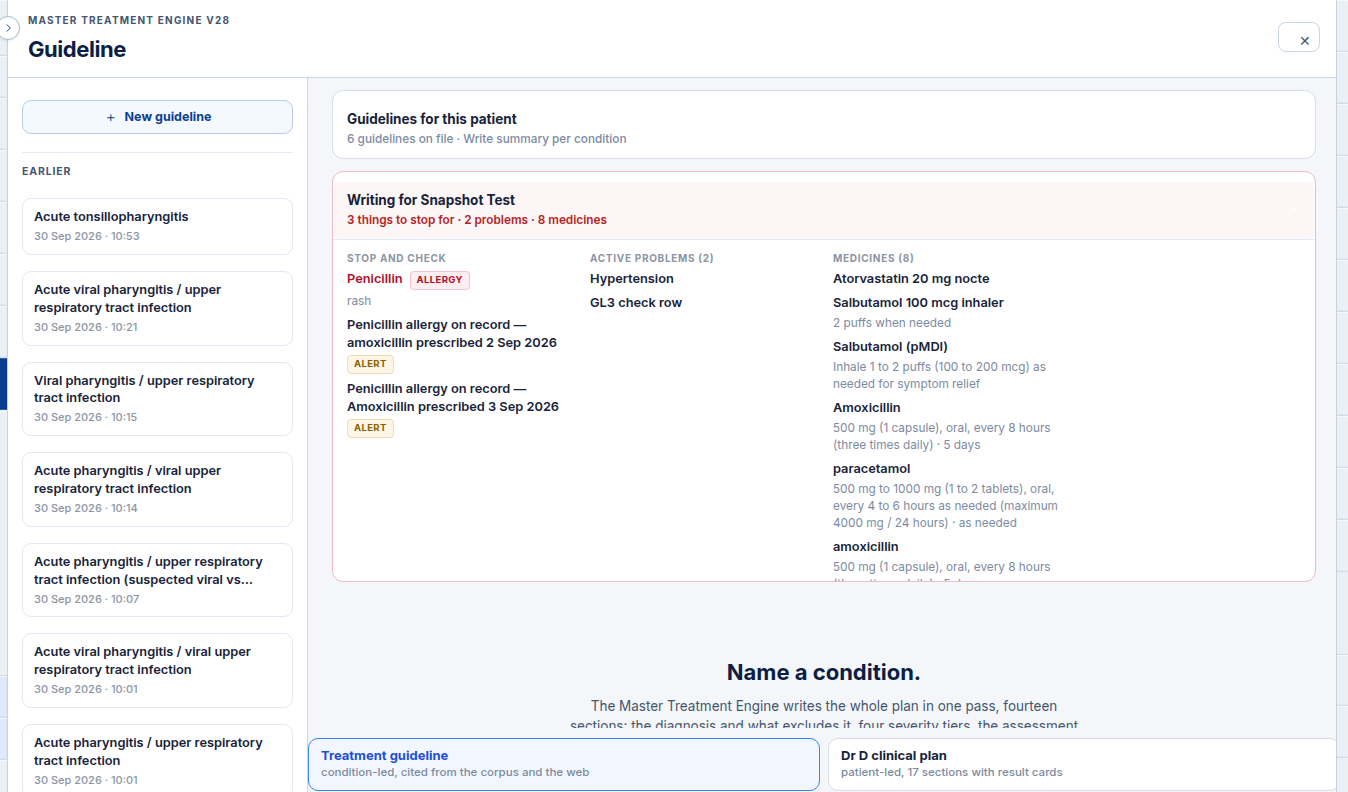
- Select an earlier run from the list or generate a new plan to view the full fourteen-section guidance.
Also on this screen
- Patient brief: Displays a folded summary of the active patient known allergies, active medical conditions, and key alerts that will inform the recommendations.
- Written for the patient tag: Distinct visual badge indicating that the guideline was generated with the patient clinical record actively attached.
- Fourteen-section plan: Comprehensive structured protocol detailing:
- Primary diagnostic criteria
- Exclusions and red flags
- Four disease severity tiers (mild, moderate, severe, critical)
- Clinical assessment procedures
- Recommended pathology and imaging investigations
- First-line and alternative pharmacotherapy by severity tier
- Secondary screening considerations
- Medication taper and weaning schedules
- Ongoing clinical monitoring intervals
- Patient disposition and admission criteria
- Follow-up consultation timeline
- Preventive care opportunities
- Patient discharge information handout
- Draft medical certificate wording
What Agent D can do
- Agent D reads the active patient clinical briefing (allergies, alerts, comorbidities) using
guideline.patient_brief. - Agent D initiates the patient-specific treatment engine run using
guideline.start_run. - Agent D retrieves previous patient-tailored runs using
guideline.list_runsandguideline.get_run. - Agent D alerts the clinician if a recommended medication clashes with a recorded allergy.
Safety (what needs your Confirm)
- The fourteen-section plan provides decision support recommendations based on available electronic record data.
- Recommended medications, investigations, and certificates are generated as drafts and require your clinical review and explicit confirmation before prescribing or ordering.
Common questions
How does the engine identify drug contraindications?
The engine reads the patient recorded allergy list and current medications from the clinical database before generating recommendations. If a first-line antibiotic is contraindicated, alternative classes are highlighted.
Can I copy recommendations into my consultation notes?
Yes. You can copy text directly or ask Agent D to draft a consultation summary based on the generated plan.
Where can I find previously generated patient protocols?
Previous runs are saved in the Earlier list on the left side of the screen and remain accessible whenever the patient chart is opened.
Related
Last reviewed: 03/10/2026.