Bookings brief
What it does
When viewing the Bookings calendar, Agent D switches to Diary brief mode. It reviews scheduled appointments for the day or week, cross-references patient histories, and suggests preparation questions such as Who should I read up on before they come? to highlight complex cases or overdue screenings.
Also on this screen
- Diary brief (AD-033): When that screen is open, Agent D watches Diary and offers questions such as “Who should I read up on before they come?”.
When to use it
Check the Bookings brief at the start of your clinic session to prepare for complex appointments and review care plans in advance.
Step by step
- Open the Bookings screen and read Agent D.
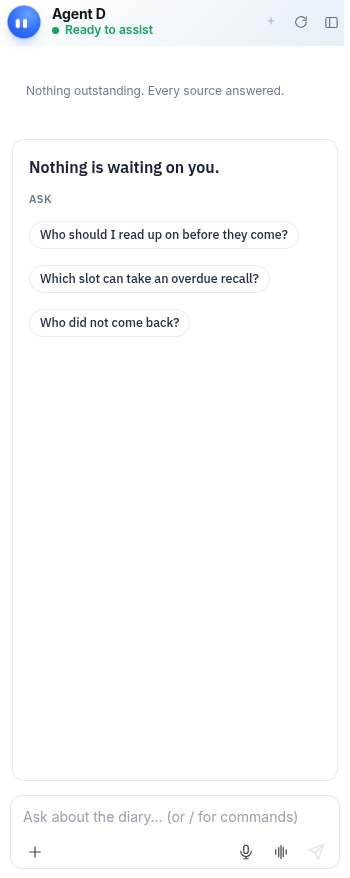
What Agent D can do
Agent D highlights upcoming patients with chronic conditions, pending test results, or overdue health assessments. It cannot reschedule or cancel appointments on its own.
Safety (what needs your Confirm)
The Diary brief provides preparation guidance only. Booking modifications, cancellations, and patient notifications must be confirmed by staff or doctors.
Common questions
How does Agent D determine who I should read up on?
It highlights patients attending for chronic disease reviews, those with recent hospital discharges, or those with abnormal test results.
Can Agent D tell me if an appointment slot is double-booked?
Yes. Agent D flags scheduling overlaps and double-bookings on the calendar.
Can I book a patient directly from chat?
You can ask Agent D to draft a booking, but it requires confirmation before placing the appointment on the calendar.
Related
Last reviewed: 03/10/2026.