Patients brief
What it does
When viewing the Patients register, Agent D activates its Patients brief mode. It analyses clinic records for completeness, identifying missing identifiers, outdated contact information, and unrecorded allergies with prompt chips like What is missing from the records?.
When to use it
Use Patients brief when conducting clinic audits, updating patient records, or preparing for accreditation reviews.
Step by step
- Open the Patients screen and read Agent D.
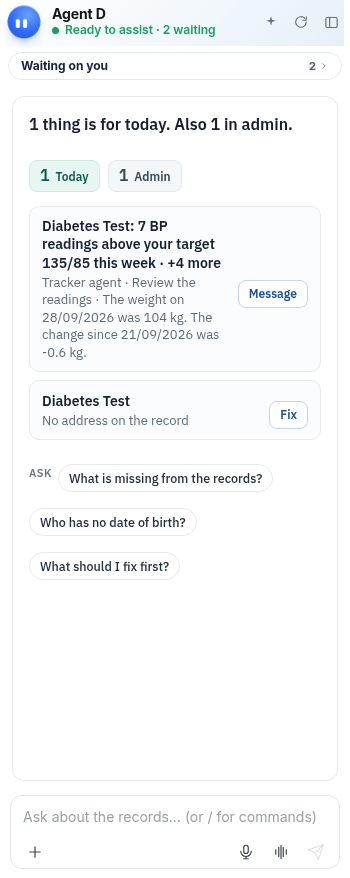
What Agent D can do
Agent D identifies gaps in demographic and clinical records (such as missing Medicare card details or emergency contacts). It cannot edit records without confirmation.
Safety (what needs your Confirm)
Highlighting missing record details is informational. Updating patient demographics or clinical details requires doctor or front-desk staff verification.
Common questions
What records does Agent D check?
Agent D checks active patient profiles for Medicare numbers, contact details, allergy records, and chronic disease tags.
Can Agent D update missing patient details automatically?
No. Staff or clinicians must enter and verify patient information.
How do I see missing details for one specific patient?
Open the patient's chart; Agent D switches to the This patient brief and displays specific record gaps.
Related
Last reviewed: 03/10/2026.