Your day with Agent D
What it does
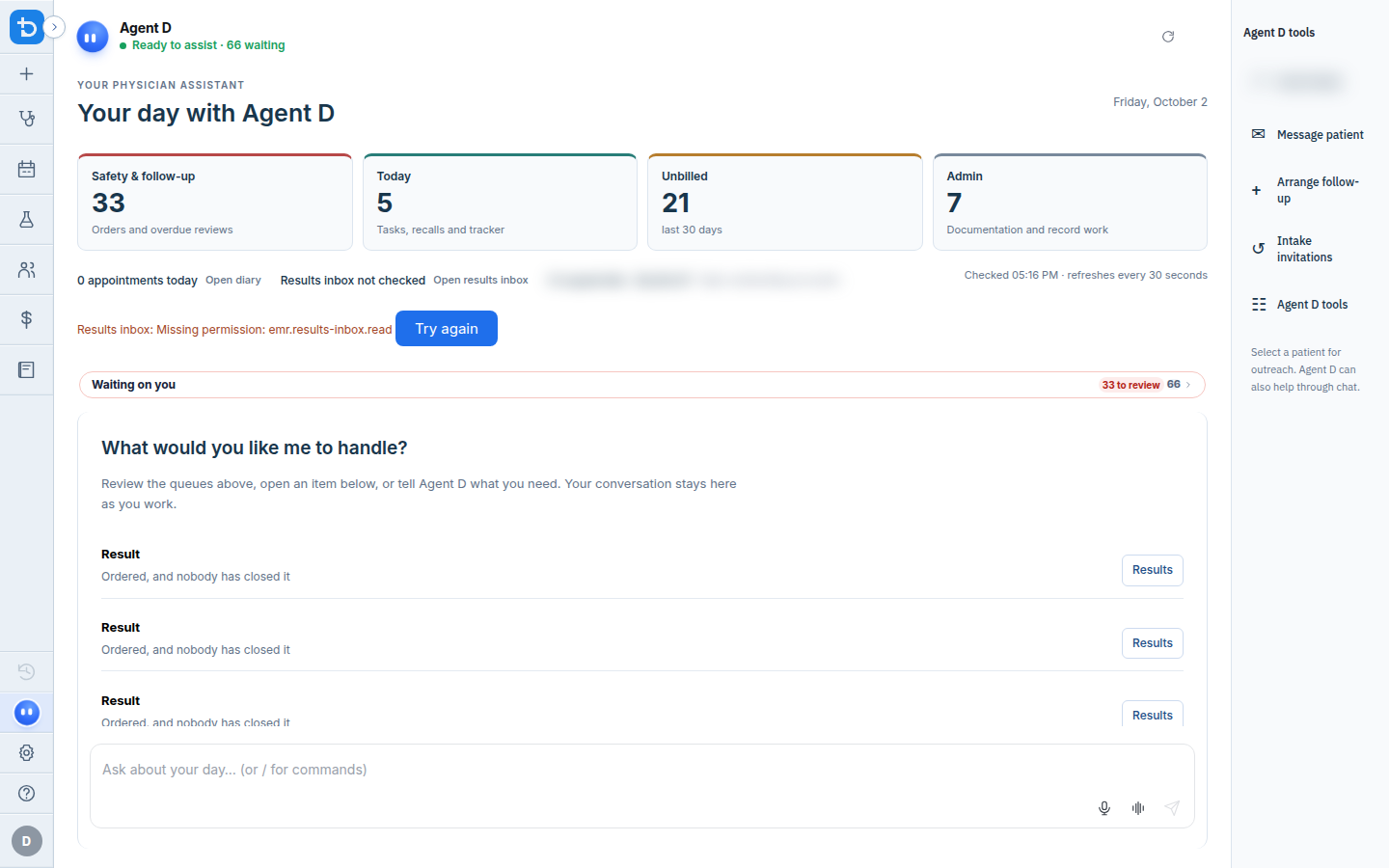
Your day with Agent D is the home screen when you open Diagnify. It gives you a complete overview of what is waiting for your attention across your clinic day. Agent D lists urgent safety items, today's consultations, unbilled visits, and administrative tasks. You can tap suggested question chips to ask Agent D to prepare your day or review urgent tasks.
Also on this screen
- Agent D starts open (AD-004): The chat column is open when you arrive.
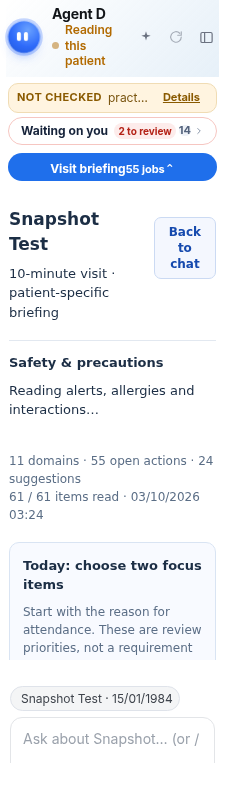
- Mascot (AD-005): A round blue face. A click plays a small expression. It breathes while it is working.
- Name and role (AD-006): Shows Agent D and the line Your AI clinical copilot.
- Status line (AD-007): Says Ready to assist, how many things are waiting, Reading, or Could not read everything.
- Brief me (AD-008): Asks Agent D to sum up what is waiting.
- Refresh (AD-009): Reads the waiting list again.
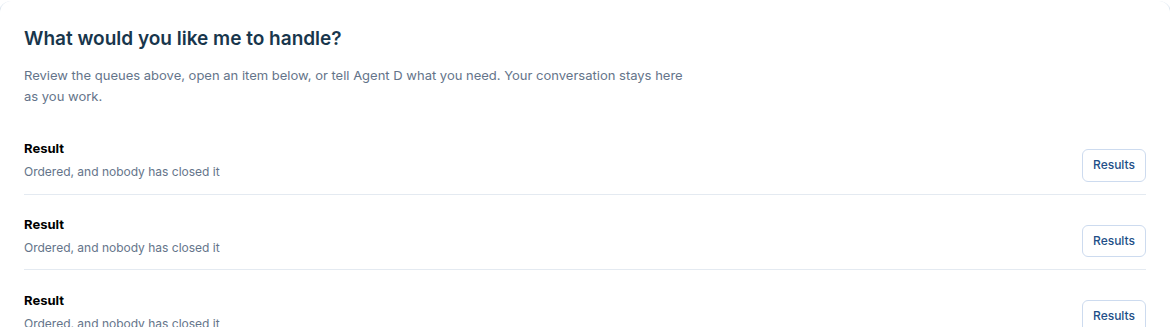
- What needs you (AD-025): Before you type, a lead sentence, counts, and the next three jobs.
- Ask chips (AD-026): Suggested questions you can tap to ask.
- Follow-up seed row (AD-027): A second row of suggested questions under the typing box.
- Your day brief (AD-029): When that screen is open, Agent D watches Your day and offers questions such as “What should I do first?”.
When to use it
Check Your day at the beginning of each clinic session to see your schedule, review urgent test results, and plan your work.
Step by step
- Open Diagnify. Agent D is already open on Your day.

- Look at the round face beside the name.

- Find the spark beside the name. This is Brief me.
- Press the round arrow to read the waiting list again.

- Read the heading Your day with Agent D.

- Read What would you like me to handle, and the question chips.
What Agent D can do
Agent D counts pending items across your clinic feeds, offers quick question chips, and briefs you on overdue tasks. It cannot open consults, file notes, or message patients without your confirmation.
Safety (what needs your Confirm)
The counts and chips on Your day help you review tasks. Agent D prepares summaries only. Any action to contact a patient, file a document, or raise an invoice requires your explicit Confirm.
Common questions
What does the Brief me spark icon do?
Pressing Brief me asks Agent D to summarise all pending items in your waiting tray.
Can I customize the question chips?
The question chips adapt dynamically to the open screen and your clinic's pending tasks.
Why are some totals blurred?
Financial totals can be masked on screen for privacy when consulting in front of patients.
Related
Last reviewed: 03/10/2026.