Finance setup
For staff
This page is for front-desk staff and people who manage clinic settings.
What it does
The Finance tab sets how the practice is paid: GST status, Tyro business id, settlement account label, pay cycle, service fee shares, and notes for the bookkeeper.
When to use it
Use it at setup, and when the pay cycle or the doctors' shares change.
Step by step
-
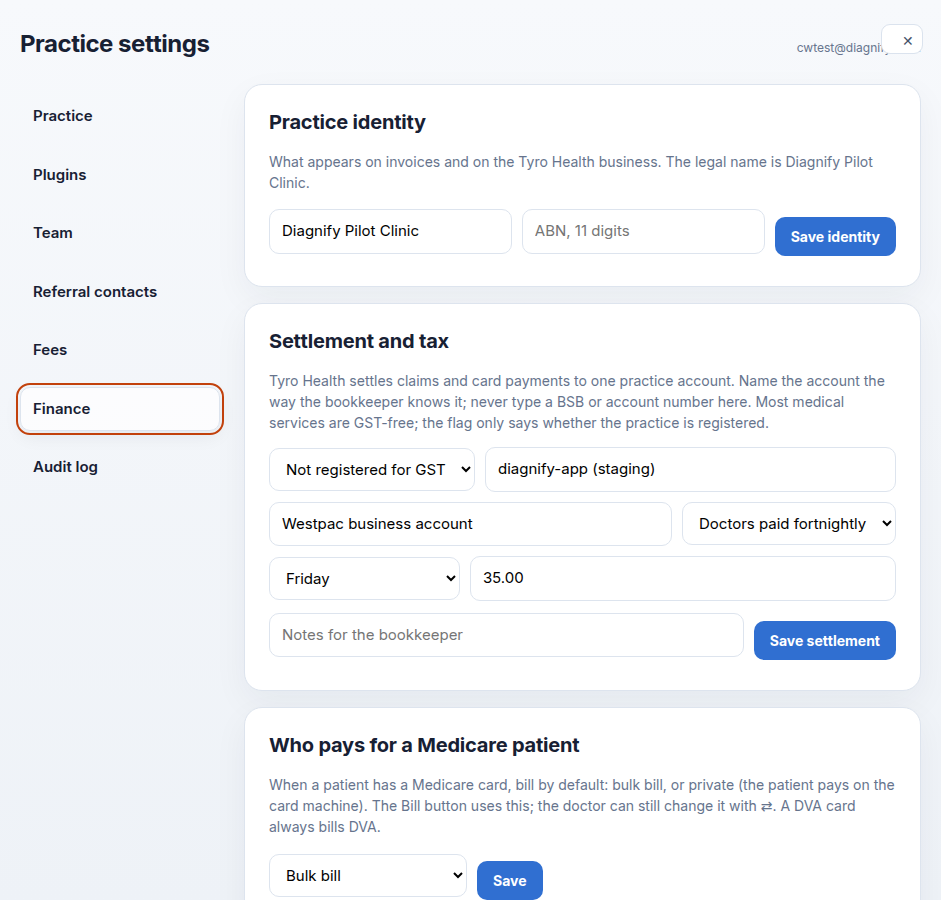
Press Finance. GST, payout day, service fee and bookkeeper notes are on the card.
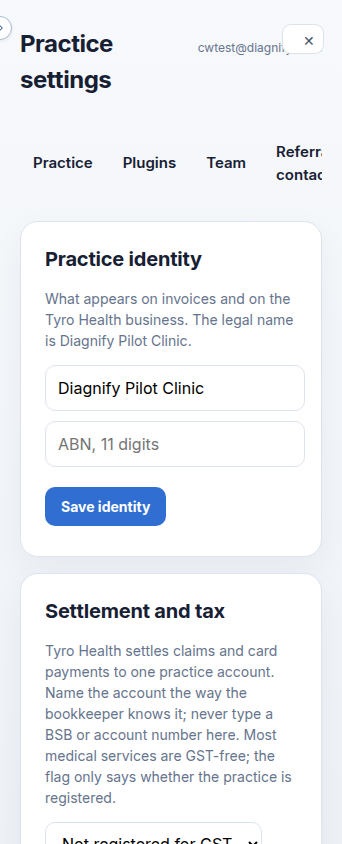
On a phone:
-
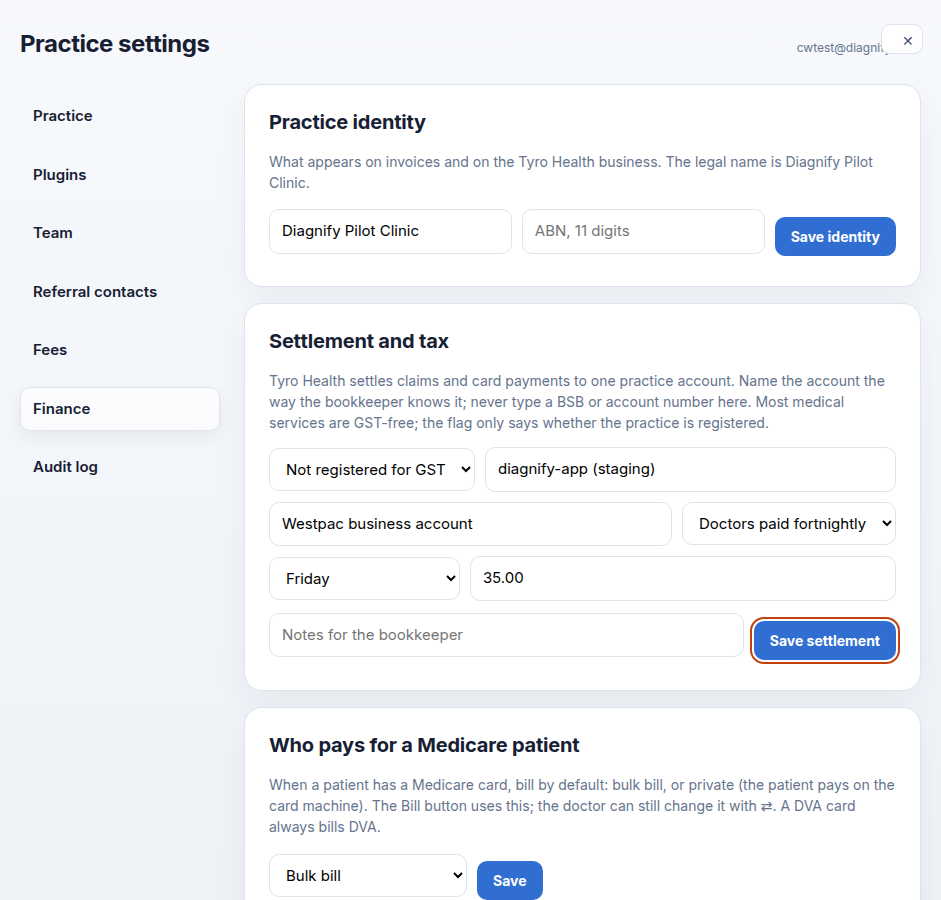
Check the payout details, then press Save settlement yourself when they are right.
Also on this screen:
- Practice identity on Finance shows the trading name and ABN used on invoices and the Tyro business.
- GST registered says whether the practice is registered. It does not calculate GST.
- The Tyro business id is stored as text.
- The settlement account label is a name the bookkeeper knows. A BSB or account number is refused.
- How often doctors are paid: weekly, fortnightly or monthly. This is a note on the statement, not a transfer.
- The payout day is a weekday, or a day of the month.
- The default service fee percent is the share the practice keeps when a doctor has no own percent.
- Doctors' terms set, for each clinician, the percent the practice keeps, a DVA tick, and a note — each with its own Save.
- The default funder setting sets the practice default to Bulk bill or Private.
What Agent D can do
- Read the practice's finance records and your practitioner terms.
- Create or update a finance record after your Confirm. It reads first, so an existing record is updated rather than doubled.
Safety (what needs your Confirm)
- Save settlement writes the tax, Tyro id, account label, pay cycle and default percent. Check before you press.
- Changing a doctor's percent changes their next payout statement.
- Nothing here moves money. The settings describe the pay cycle; the bank does the rest as it does today.
Common questions
Why was my BSB refused? The account field takes a label the bookkeeper knows, not a bank number.
Does the payout day transfer money? No. It is a note on the payout statement.
Where is the default bulk-bill or private choice? On this tab, as the default funder setting.
Related
Last checked: 03/10/2026.