Imaging requests
The Imaging requests tool allows clinicians to order diagnostic radiology, ultrasound, CT, MRI, and nuclear medicine examinations.
What it does
The Imaging tool provides a standardized interface for ordering diagnostic imaging. You can select modalities, specify anatomical regions, record clinical indications, review pregnancy and radiation safety alerts, and generate compliant imaging referrals.
When to use it
Use this drawer when investigating acute musculoskeletal injuries, evaluating persistent abdominal pain, screening for pulmonary pathology, or monitoring chronic conditions.
Step by step
- Select Imaging on the right tool rail, or type
/imagingin the Ask Agent D box.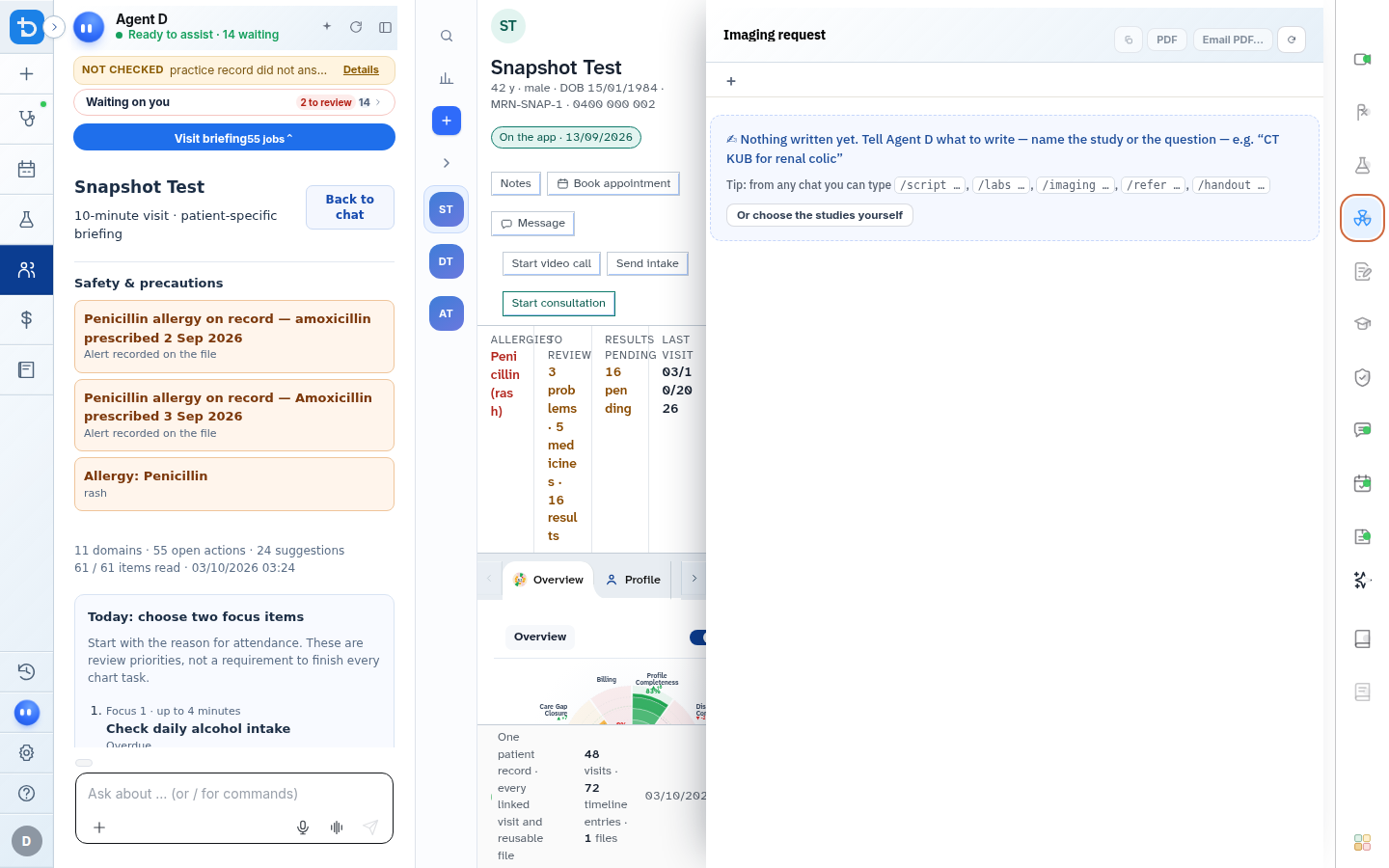
Also on this screen
- Choose studies yourself: Modality tabs for X-ray, Ultrasound, CT, MRI, Mammography, and Nuclear Medicine.
- Anatomical site selector: Filter studies by region (e.g., Chest, Abdomen, Cervical Spine, Knee).
- Clinical indication and history: Mandatory clinical notes detailing the diagnostic inquiry.
- Radiation and pregnancy safety flags: Alerts prompted automatically when ordering ionizing radiation for female patients of childbearing age.
- Write the request: Compiles selected studies into an unfinalised draft referral.
What Agent D can do
- Agent D evaluates clinical decision rules (such as Ottawa ankle rules or Canadian C-spine rules) to recommend appropriate imaging modalities.
- Agent D pre-fills relevant physical findings from your examination note into the clinical indication field.
- Agent D cannot sign or dispatch imaging referrals without your explicit confirmation.
Safety (what needs your Confirm)
- You must confirm that clinical benefits justify radiation exposure before signing requests.
- Pregnancy status must be verified with the patient prior to confirming pelvic or abdominal imaging.
Common questions
When should I choose CT over MRI?
Consult clinical decision guidelines in the drawer. Agent D highlights preferred modalities based on acute indications and tissue characterization needs.
Can patients take the referral to any imaging provider?
Yes. Diagnify prints open referrals that patients can present at any licensed Australian diagnostic imaging facility.
How do I indicate urgent imaging?
Tick the Urgent checkbox to print high-priority banners on the referral form.
Related
Last reviewed: 03/10/2026.