What Agent D reads from the chart
Understand the clinical data sources that Agent D securely accesses within the patient medical record to inform decision support.
What it does
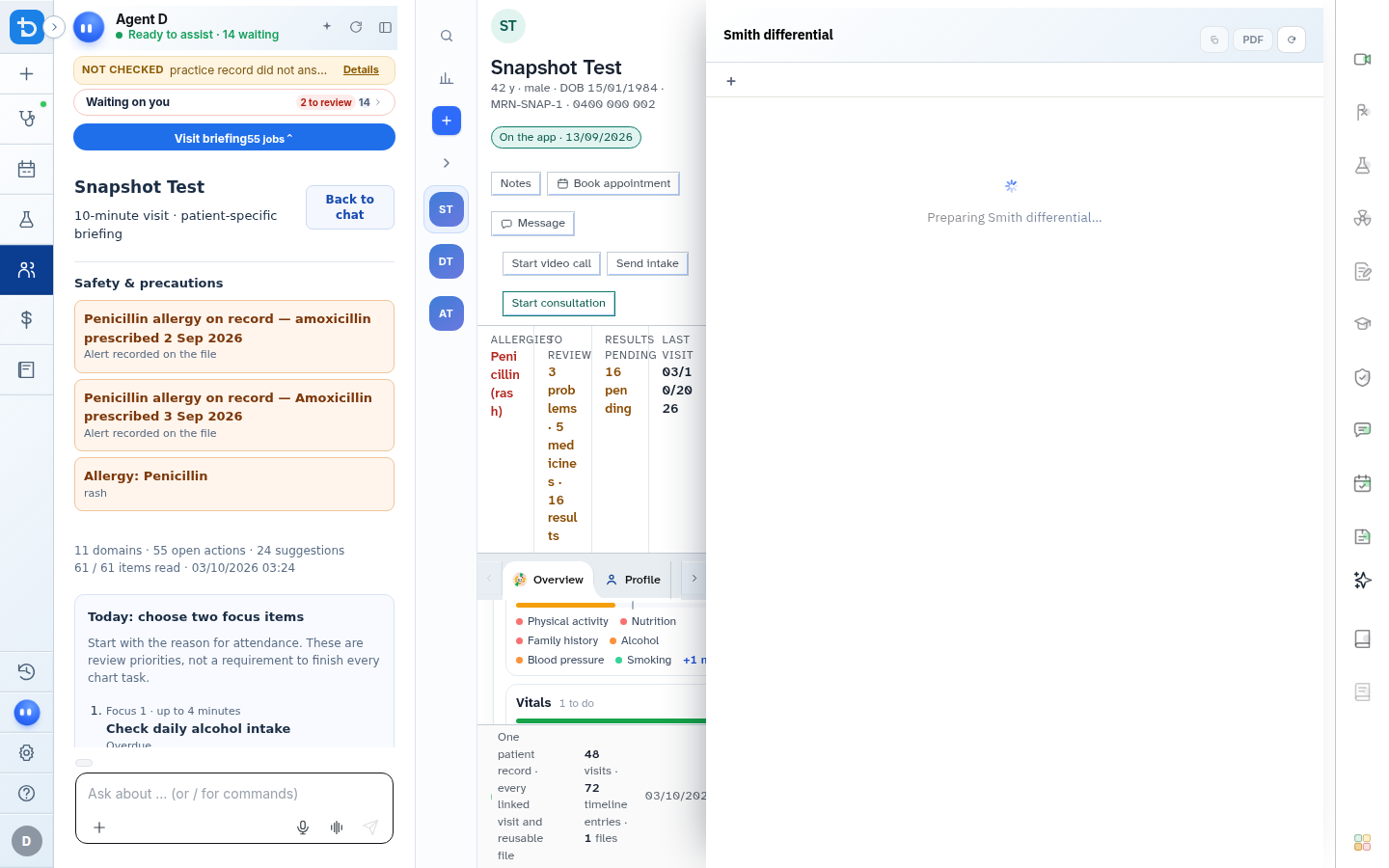
Agent D operates with full awareness of the active patient chart. It securely reads recorded conditions, active medications, allergy lists, past consultation notes, pathology results, and preventative care reminders to personalize clinical recommendations.
When to use it
Review this guide to understand how Agent D accesses chart context, when chart data is refreshed, and how empty accidental visits are managed.
Step by step
- Observe the chart reading indicator and patient context badge displayed beside the consultation workspace.
Also on this screen
- Chart snapshot synchronization: Real-time retrieval of active problems, medications, allergies, and recent pathology values.
- Case memory: Securely registers consultation decisions to provide consistent continuity across future encounters.
- Daily queue integration: Connects consultation context with pending practice results, overdue recalls, and daily tasks.
- Empty visit discard check: Verifies whether an encounter contains clinical documentation before allowing safe disposal of empty visits.
- Dynamic chart rereading: Automatically updates decision support when external laboratory results or specialist letters are filed.
What Agent D can do
- Agent D checks active medications for drug-drug interactions before proposing new prescriptions.
- Agent D identifies historical laboratory trends that provide context for current presenting complaints.
- Agent D discards completely empty accidental visits that contain no clinical notes, documents, or billings.
Safety (what needs your Confirm)
- Chart reading is strictly read-only and restricted to the active patient file within your tenant clinic.
- Agent D cannot modify patient medical history, add diagnoses, or delete records without explicit clinician authorization.
Common questions
Does Agent D access charts of other patients?
No. Agent D only reads the chart of the patient currently open in your active consultation window.
What happens if another doctor updates the chart while I am in the consult?
Diagnify detects the change and displays a Refresh chart prompt to synchronize the latest updates into your session.
How are empty visits safely removed?
If you open a visit by mistake without typing notes, ordering tests, or billing, selecting Discard visit removes the blank entry after confirming it is empty.
Related
Last reviewed: 03/10/2026.