Billing on the chart
The Billing screen manages patient accounts, fee invoicing, Medicare and private health insurance claiming, and card payments.
What it does
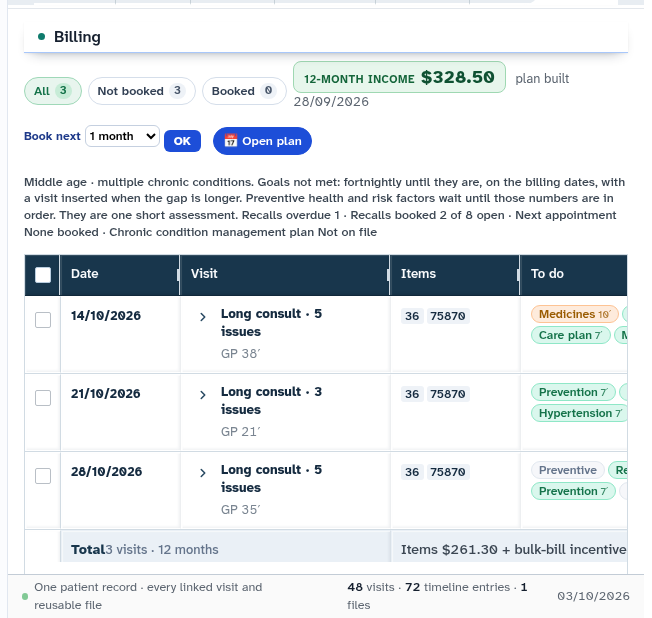
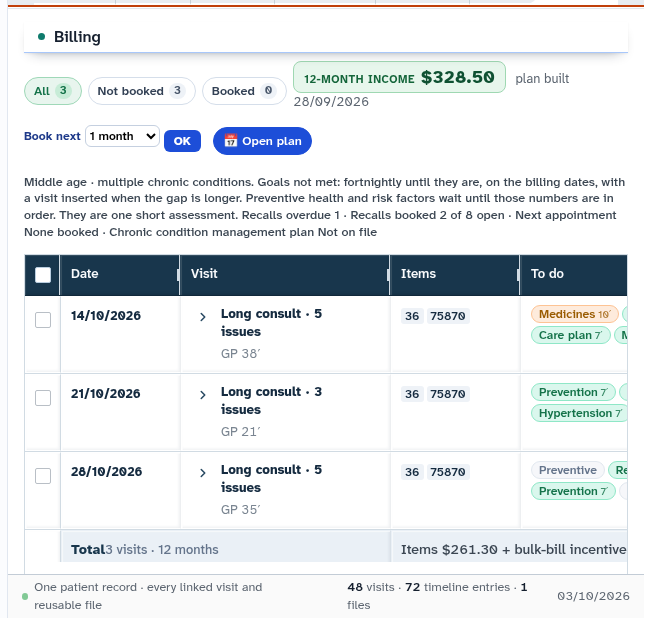
This screen provides comprehensive billing and accounts management: - Invoices: View draft, finalised, issued, and paid invoices, with line items priced against the national Medicare Benefits Schedule (MBS). - Payment processing: Process payments via integrated EFTPOS terminals (Tyro), charge tokenized cards on file, or record cash and external payments. - Digital claiming: Submit instant Medicare bulk-billing claims, Department of Veterans' Affairs claims, and private health insurance claims via digital claiming networks. - Statements: Generate patient account statements spanning 3 months, 6 months, 12 months, or the patient lifetime. - 12-month plan: Model long-term chronic disease management billing, estimating scheduled MBS benefits across planned visits. - Quick Bill: Rapid billing drawer allowing immediate fee finalisation directly from the clinical desk.
When to use it
Use this screen when issuing consultation invoices, processing patient gap payments, claiming Medicare bulk-bill benefits, or reviewing billing history.
Step by step
- Select Billing in the chart sections menu to view invoice history and account balances.
- Select Charge, Pay, or Claim on an issued invoice to execute payment processing.
Also on this screen
- Billing section: Primary ledger displaying invoice numbers, dates, MBS item numbers, fees, and payment status.
- Tyro claim: Submits electronic Medicare or health fund claims via integrated digital claiming gateways.
- Pay on terminal: Sends invoice balances directly to the countertop payment terminal.
- Claim on terminal (HealthPoint): Executes private health insurance claiming through the EFTPOS terminal.
- Charge card on file: Charges stored credit or debit cards for outstanding consultation gap fees.
- Statement: Generates printable account statements across custom time periods.
- 12-month plan: Chronic disease care plan financial modeling tool.
- Quick Bill: Streamlined checkout drawer for fast billing between consultations.
What Agent D can do
- Agent D retrieves invoice history via
patients.list_invoices. - Agent D searches the Medicare Benefits Schedule database with
patients.search_mbs_schedule. - Agent D prices invoice lines and item numbers using
patients.price_invoice_line. - Agent D drafts new invoices (
patients.raise_invoice) and care plan financial models (patients.plan_12m_build). - Agent D cannot charge credit cards, initiate terminal payments, or submit Medicare claims without explicit human confirmation.
Safety (what needs your Confirm)
- Invoicing and Medicare claiming carry strict regulatory and compliance responsibilities.
- Charging cards on file (
patients.charge_card), recording payments (patients.record_invoice_payment), and transitioning invoices (patients.transition_invoice) are strictly human-confirmed actions.
Common questions
Can I bill multiple MBS items on the same consultation?
Yes. Add additional line items in the invoice drawer. Diagnify checks for co-claiming restrictions and displays relevant item rules.
How do patients receive their invoice receipts?
Issued invoices and payment receipts can be printed, sent via encrypted email, or viewed directly within the patient app.
What happens if an electronic Medicare claim fails?
The claiming response provides specific Services Australia error codes and explanatory advice on how to amend the claim before resubmitting.
Related
Last reviewed: 03/10/2026.