Settings brief
What it does
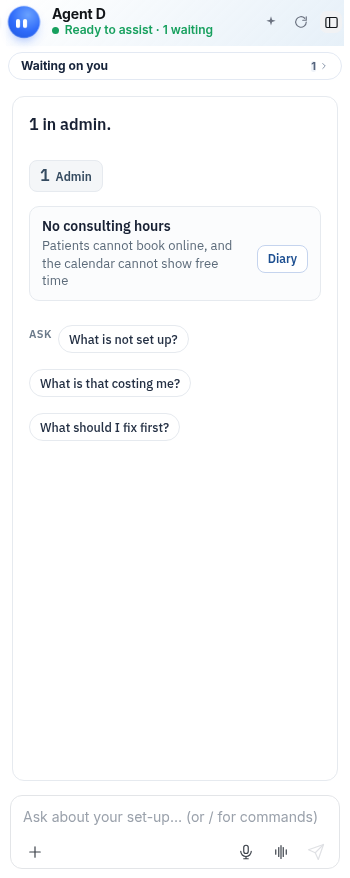
On the Settings screen, Agent D helps practice managers and clinicians verify clinic configuration. It identifies incomplete setup items—such as missing provider numbers, clinic operating hours, practice letterheads, or digital certificates—and tracks items explicitly marked as not applicable.
Also on this screen
- Set-up brief (AD-034): When that screen is open, Agent D watches Set-up and offers questions such as “What is not set up?”.
- Marked not applicable (AD-015): Lists set-up items the doctor marked as not needed (provider number, phone, address, signature, registration, hours).
When to use it
Use Settings brief during clinic onboarding, when adding new practitioners, or when reviewing annual clinic compliance requirements.
Step by step
- Open the Settings screen and read Agent D.
What Agent D can do
Agent D audits practice profiles, user credentials, and communication settings. It flags incomplete items but cannot save settings without user confirmation.
Safety (what needs your Confirm)
Marking setup items as not applicable or updating practice details requires authorized staff or doctor confirmation. Changes are logged in the audit trail.
Common questions
What does Marked not applicable mean?
It lists configuration items (such as a facsimile number or secondary provider number) that the clinic has deliberately marked as not required.
Who can access Settings brief?
Both doctors and practice administrative staff can use Settings brief to manage clinic configuration.
Does Agent D store my digital signature?
No. Signatures are managed securely through encrypted profile settings.
Related
Last reviewed: 03/10/2026.