Vitals
The Vitals screen records, tracks, and shows patient physiological measurements and growth percentiles.
What it does
This screen provides comprehensive vital signs tracking: blood pressure, pulse rate, respiratory rate, body temperature, oxygen saturation (SpO2), height, weight, body mass index (BMI), and waist circumference. Measurements can be displayed as chronological data tables or longitudinal trend charts. When multiple readings exist, trend curves illustrate clinical trajectories, and pediatric growth curves plot height and weight against age-standardized percentiles. Clinicians can enlarge charts for closer inspection, copy readings into consultation notes, or export readings as FHIR bundles.
When to use it
Use this screen to record observations taken during clinical consultations, monitor blood pressure control in hypertensive patients, track weight trajectories, or evaluate pediatric growth milestones.
Step by step
- Select Vitals in the chart sections menu to view recorded physiological observations.
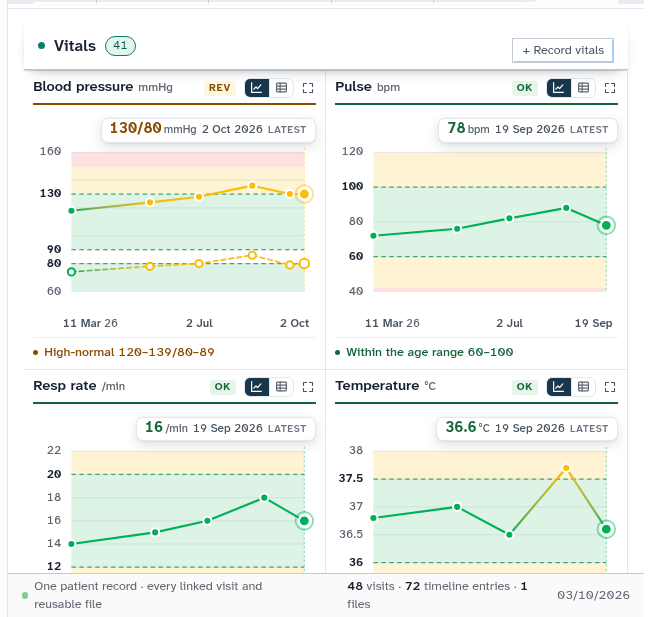
- Select Record vitals to log new observations, or select Enlarge on a chart for full-screen analysis.
Also on this screen
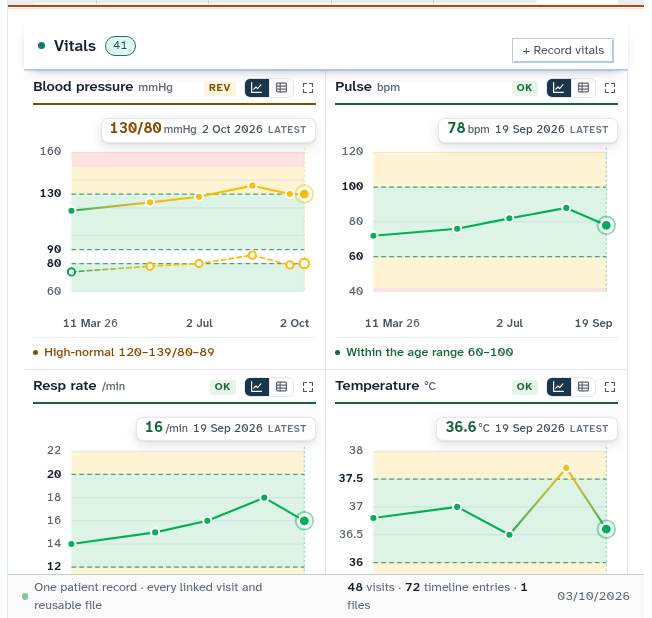
- Vitals section: Displays physiological observations with color-coded normal and abnormal indicators.
- Chart or table: Toggle switch allowing clinicians to alternate between graphical trend curves and tabular numerical data.
- Enlarge a chart: Expands an individual parameter graph into an enlarged modal view for granular inspection.
- Record vitals: Standard clinical entry form capturing blood pressure, pulse, respirations, temperature, SpO2, weight, and height.
- Old vitals panel: Legacy observations panel supporting raw FHIR resource viewing and clipboard copying.
What Agent D can do
- Agent D retrieves all vitals rows and evaluates age and sex reference ranges using
patients.get_vitals. - Agent D records newly entered vitals rows and drafts consultation note lines via
patients.record_vitals. - Agent D deletes vitals rows entered in error (
patients.delete_vitals) with a mandatory audit reason. - Agent D exports vitals observations as standard FHIR bundles (
patients.vitals_fhir).
Safety (what needs your Confirm)
- Recording vital signs immediately updates the patient permanent clinical record.
- Deleting an incorrectly entered observation requires clinician confirmation and logs an audit entry.
Common questions
How is BMI calculated?
Body Mass Index is automatically calculated whenever both height and weight are recorded on the patient chart.
Can I view pediatric growth charts?
Yes. For pediatric patients, height, weight, and head circumference automatically plot against World Health Organization growth percentiles.
What happens if a vital sign is outside normal limits?
Abnormal readings are highlighted in orange or red, and Agent D flags significant deviations in the consultation briefing.
Related
Last reviewed: 03/10/2026.