Allergies
The Allergies screen maintains the patient coded drug, food, and environmental allergy records, adverse reactions, and no known allergy assertions.
What it does
This screen provides clinicians with comprehensive allergy management. Clinicians can search for coded medicinal and environmental substances, record reaction types, assign severity levels (mild, moderate, severe, anaphylaxis), specify clinical manifestations, and toggle automated prescribing interaction checks. It also supports recording dated "No known medicine allergies" assertions and retracting erroneously entered records with full audit tracking.
When to use it
Review and update allergies during every clinical encounter, prior to prescribing new medications, or when taking an initial patient medical history.
Step by step
- Review the Allergies summary line on the primary patient header.

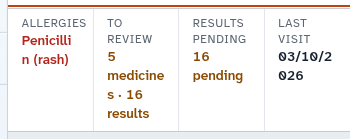
- Select the allergy control on the banner to open the allergy management dialog.
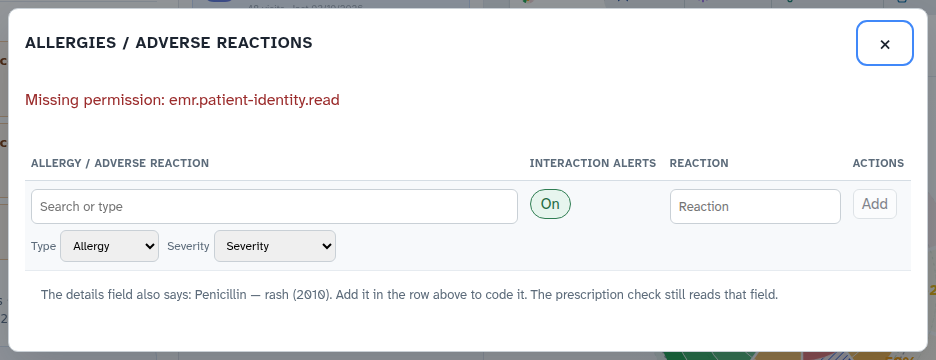
- Select Add, search for a coded substance, configure severity and reaction details, and save.
Also on this screen
- Allergies line: Banner summary stating active allergies in clear text directly below the patient name.
- Allergy badge and pop-up: Visual pill indicator that launches the comprehensive allergy entry and review dialog.
- Coded allergen search: Fast search field querying standardized national medicinal and substance catalogs.
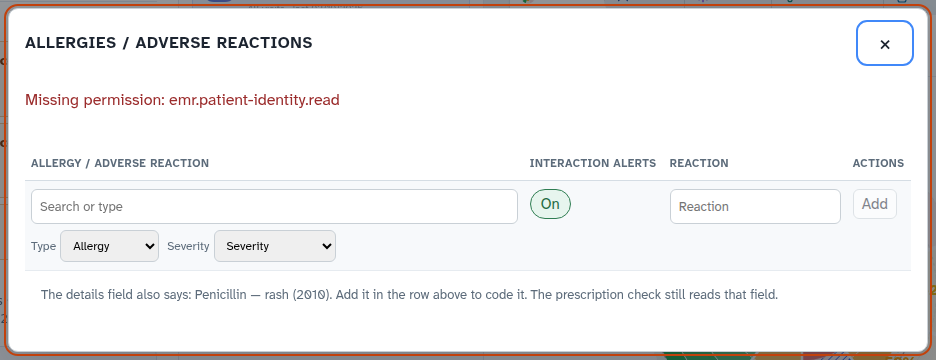
- Type, severity, reaction, interaction switch: Specific fields recording adverse reaction category, severity rating, symptoms, and prescribing safety alerts.
- Add, edit, delete, retract: Clinical actions allowing doctors to record new allergies, amend details, or retract incorrect entries with an audit reason.
- No known medicine allergies: Explicit clinical assertion recording that the patient has no known drug allergies.
- Allergy list that cannot be deleted: Permanent legal log where erroneous entries are marked retracted rather than erased.
What Agent D can do
- Agent D lists active allergies and no-known-allergy assertions via
patients.list_allergies. - Agent D cross-checks all proposed prescriptions against recorded allergies before drafting scripts.
- Agent D drafts allergy entries (
patients.record_allergy), edits (patients.edit_allergy), retractions (patients.retract_allergy), and no-known-allergy statements (patients.assert_no_known_allergies). - Agent D alerts the doctor immediately if a medication clashing with a recorded allergy is discussed.
Safety (what needs your Confirm)
- Accurate allergy recording is essential for patient clinical safety.
- Adding, modifying, or retracting an allergy requires explicit doctor confirmation.
- Retracting an allergy requires a documented clinical reason and preserves the historical entry for medicolegal compliance.
Common questions
What happens if I prescribe a drug that the patient is allergic to?
Diagnify automated prescribing checks will block the prescription workflow and present a prominent clinical contraindication alert.
How do I document that a patient has no allergies?
Open the allergy dialog and select "No known medicine allergies". This records an official dated assertion in the patient chart.
Can an allergy record be deleted?
To preserve clinical audit integrity, allergies cannot be deleted. If entered in error, select "Retract" and enter the reason.
Related
Last reviewed: 03/10/2026.