Pathology requests
The Pathology requests tool allows clinicians to order diagnostic laboratory tests, assemble routine profiles, specify clinical history, and copy results to specialists.
What it does
The Pathology tool streamlines diagnostic laboratory ordering. Clinicians can search standard tests by name or MBS code, select pre-configured panels (such as Full Blood Count, EUC, LFTs, or Iron Studies), specify clinical notes, nominate copy-to practitioners, and mark urgent priority.
When to use it
Use this drawer whenever investigating acute symptoms, monitoring chronic disease, screening for asymptomatic conditions, or fulfilling pre-operative work-ups.
Step by step
- Select Pathology on the right tool rail, or type
/labsin the Ask Agent D box.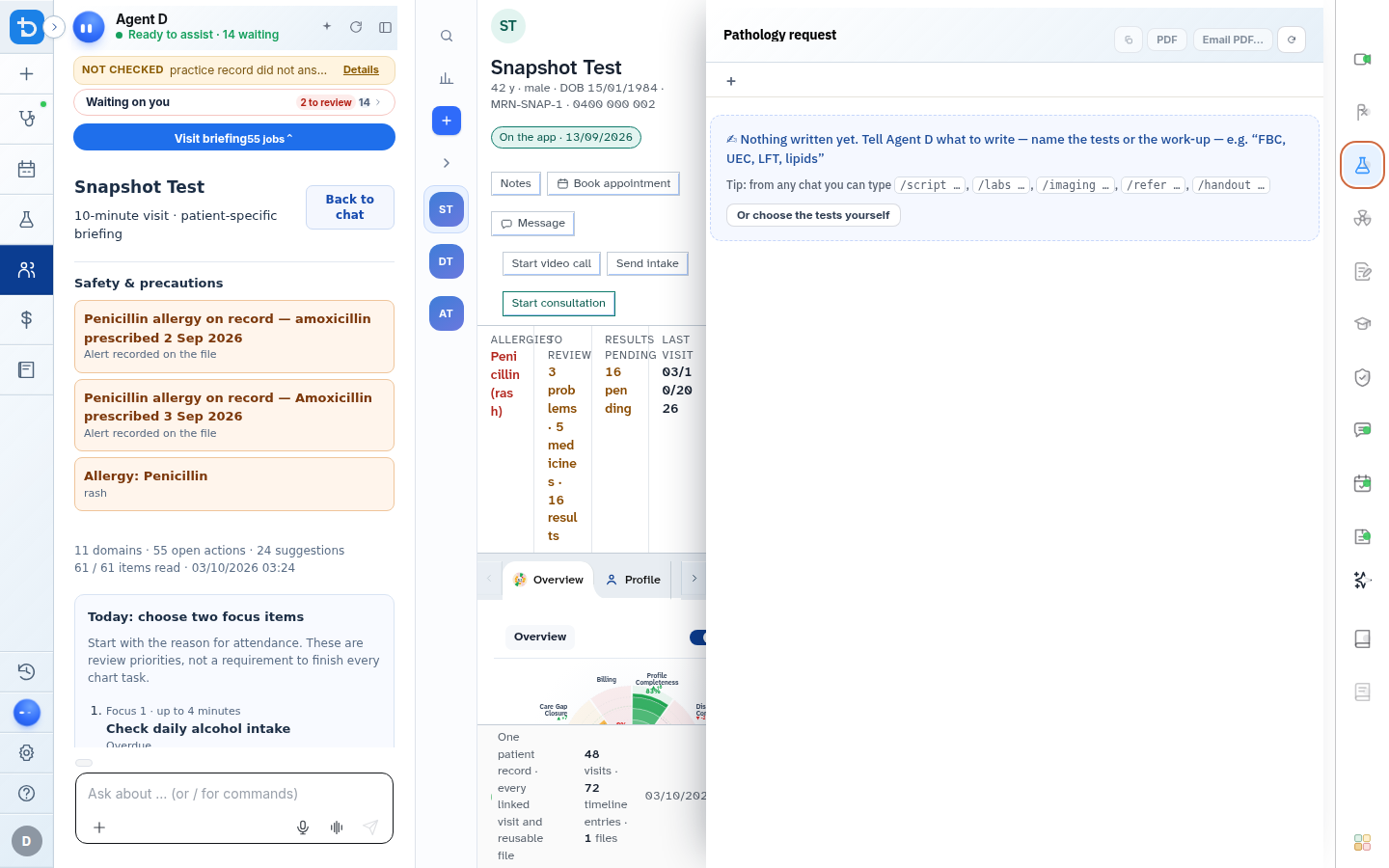
Also on this screen
- Choose tests yourself: Interactive test selector organized into Haematology, Biochemistry, Microbiology, and Immunology tabs.
- Clinical notes and history: Dedicated field for patient symptoms and provisional diagnosis to guide the pathologist.
- Copy-to practitioners: Searchable address book to copy diagnostic reports to referring doctors or allied health professionals.
- Urgent priority flag: Highlights urgent turnaround requirements on printed and electronic laboratory transmissions.
- Write the request: Stages the compiled laboratory request onto a Confirm card.
- Browse order catalogue: Access to comprehensive Australian MBS pathology schedule items.
- Investigation specifications: Prompts for required test parameters such as fasting status or collection site.
What Agent D can do
- Agent D suggests indicated pathology tests aligned with your working differential diagnosis.
- Agent D checks previous test dates on the timeline to prevent redundant re-ordering.
- Agent D cannot sign or transmit pathology requests without your explicit confirmation.
Safety (what needs your Confirm)
- Pathology requests require clinical authorization before printing or sending.
- Ensuring appropriate clinical indications under Medicare rules remains the doctor's legal responsibility.
Common questions
How do I bundle multiple common tests quickly?
Select popular profile chips at the top of the drawer (such as "General Screen" or "Metabolic Panel") to tick all component tests in one click.
Can I order fasting tests?
Yes. Tick the Fasting box in the test parameters so collection instructions appear on the patient request form.
Are pathology forms compatible with all Australian labs?
Yes. Diagnify generates standardized requests accepted by all major Australian pathology providers.
Related
Last reviewed: 03/10/2026.