Waiting on you
What it does
Waiting on you is the central task tray in Agent D. It organises pending items into four distinct categories: Safety (urgent results and recalls), Today (booked patients and consultations), Billing (unbilled completed visits), and Admin (practice tasks and tidying). A persistent red badge highlights critical safety items that must not be overlooked.
Also on this screen
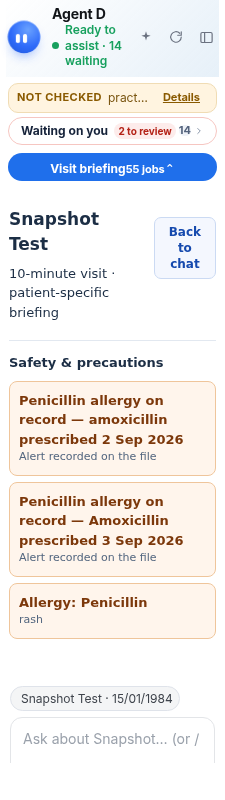
- Waiting on you (AD-016): One card that opens the whole waiting list. The count sits on the right.
- N to review pill (AD-017): A red count of safety items so they are never folded out of sight.
- Safety, Today, Billing, Admin groups (AD-018): Four piles. Safety first, then today, money, then tidying.
- Results to review (AD-019): Lab and order rows still open (draft, sent, partial, and so on).
- Tasks (AD-020): Open tasks from the practice task list.
- Not billed (AD-021): Visits that still need an invoice.
- Empty day line (AD-024): When nothing is waiting and every source answered.
- Tracker wake-up drafts (TRACK-006): Stages draft patient SMS, recall bookings, and order updates in Waiting on you tray without sending until clinician explicitly confirms.
When to use it
Review Waiting on you throughout your clinical day to triage incoming investigations, complete unbilled visits, and clear outstanding practice tasks.
Step by step
- Read the four count cards: Safety, Today, Unbilled, and Admin.

- Press Waiting on you.

What Agent D can do
Agent D sorts items into appropriate groups, stages tracker draft messages, and counts outstanding tasks. It cannot dispatch drafts or mark tasks completed without your review.
Safety (what needs your Confirm)
Drafts generated by background services or slash commands sit safely in this tray. Nothing is sent to a patient or filed to Medicare without clinician confirmation.
Common questions
What items appear under Safety?
Critical lab alerts, abnormal imaging reports, and urgent clinical recall notifications appear under Safety.
What are tracker wake-up drafts?
When enabled, background monitoring creates draft SMS or recall entries in your tray for you to review and confirm.
How do I clear an item from the list?
Open the item, complete or dismiss the task, and confirm the action to remove it from the waiting count.
Related
Last reviewed: 03/10/2026.