Payout and banking
What it does
Three reports about real money: what each doctor is owed, what came in each day, and the receipts behind it.
When to use it
Use the payout statement when doctors ask about their share. Use the banking summary and payments received to match the bank and the terminal.
Step by step
-
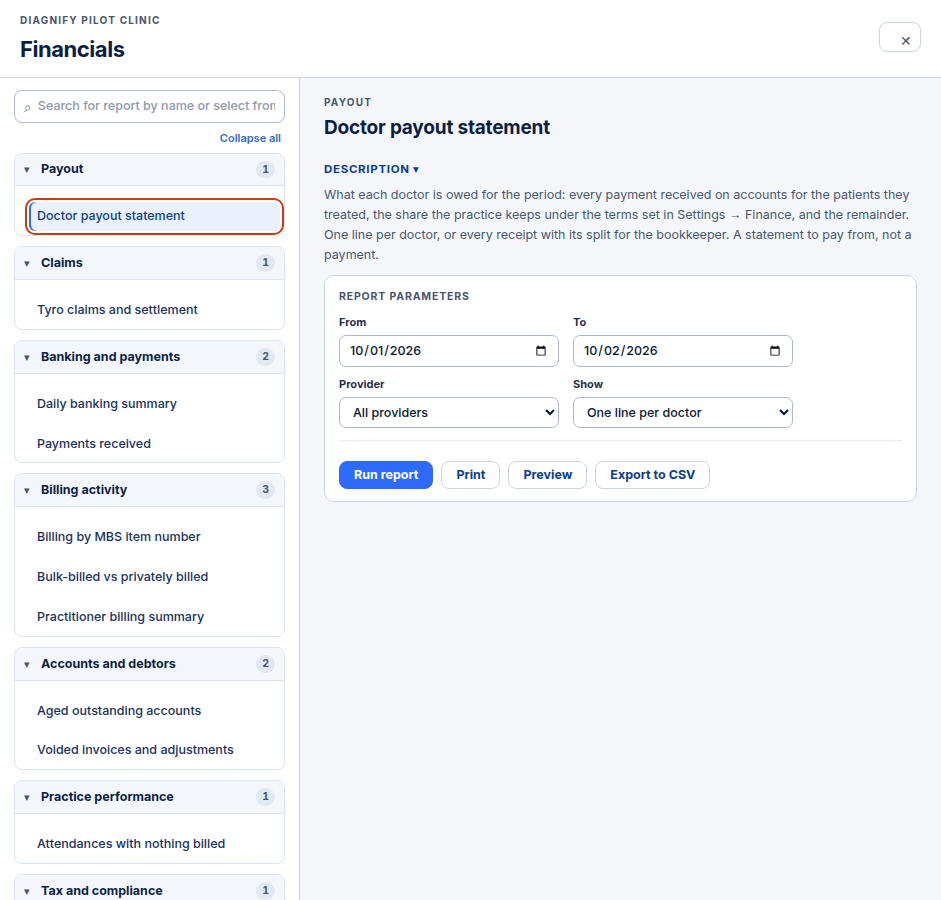
Press Doctor payout statement. You can run it for a date range. It lists what each doctor is owed: payments on accounts they raised, the practice share, and the rest.
-
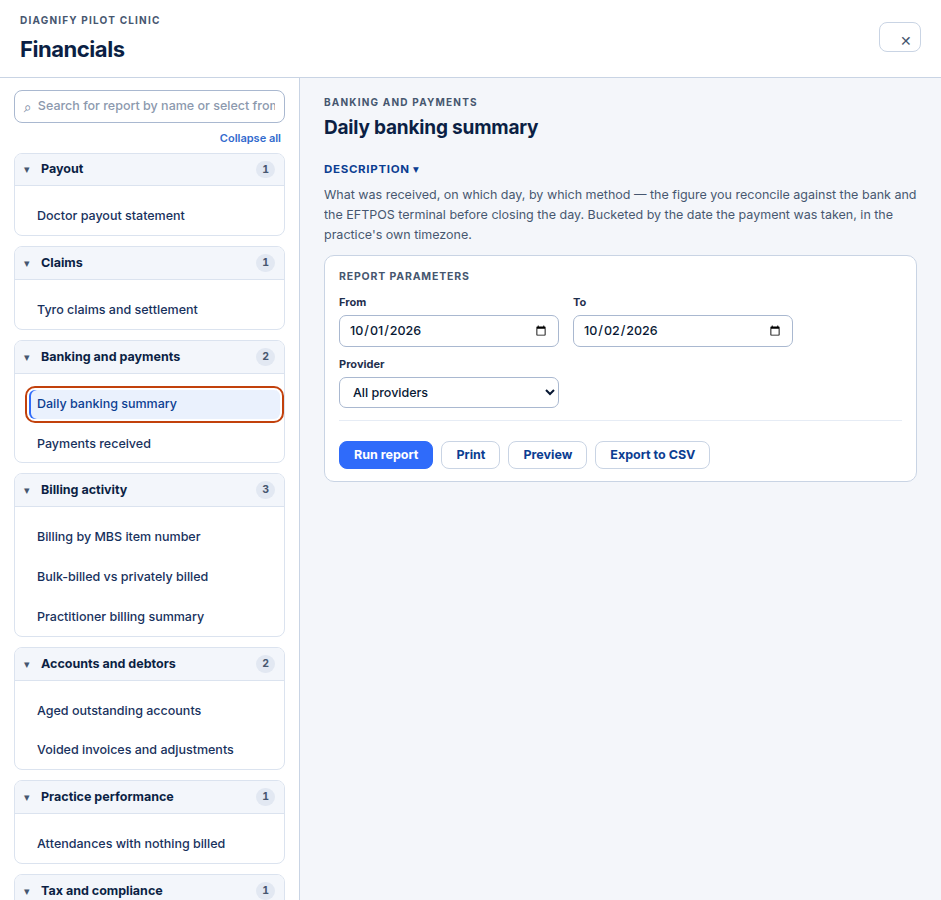
Press Daily banking summary or Payments received. Each has its own dates and Run report.
Also on this screen:
- The payout view switch shows one line per doctor, or every receipt with its split.
- The payout statement groups earnings by the treating doctor who was responsible for the visit.
- The banking summary shows what came in each day, by method.
- Payments received lists each receipt: patient, invoice, method, reference, and who took it.
What Agent D can do
- Run any of these reports for a date range and read the rows back to you.
- Export the same run as a CSV file.
Safety (what needs your Confirm)
- The payout statement is a statement, not a bank transfer. Nothing is paid by running it.
- The pay cycle it describes is set in Finance setup.
Common questions
Does the payout statement pay anyone? No. It reports what is owed. Payments happen through your bank as they do today.
What is the difference between the two banking reports? The summary groups takings by day and method. Payments received lists each single receipt behind it.
Why is a visit under the wrong doctor? Payouts follow the treating doctor stored on the bill for that visit.
Related
Last checked: 03/10/2026.