Do it
What it does
The Do it button on the right tool bar opens an action ledger panel containing all clinical tasks identified on the active chart. You can execute individual jobs by clicking Do on a row, batch all tasks for the current visit with Do all for this visit, or organize future management with Plan the follow-ups.
Also on this screen
- Do it button (AD-102): Opens the list of jobs already found on the chart.
- Close (AD-103): Closes the Do it panel.
- Do all for this visit (AD-104): Hands every open job for this visit to Agent D as one batch.
- Plan the follow-ups (AD-105): Hands later jobs to Agent D as a plan, not a send.
- Refresh (AD-106): Reloads the job list.
- Do on one job (AD-107): Hands that one job to Agent D.
- Read the chart (AD-108): Asks Agent D to read the open chart. Confirm still comes before any act.
- Could not connect / Try again (AD-109): If the health check fails, the panel says so and offers Try again.
When to use it
Use Do it towards the end of a consultation to rapidly draft all required orders, referrals, and recall notices in one place.
Step by step
- On the right tool bar, press Do it.
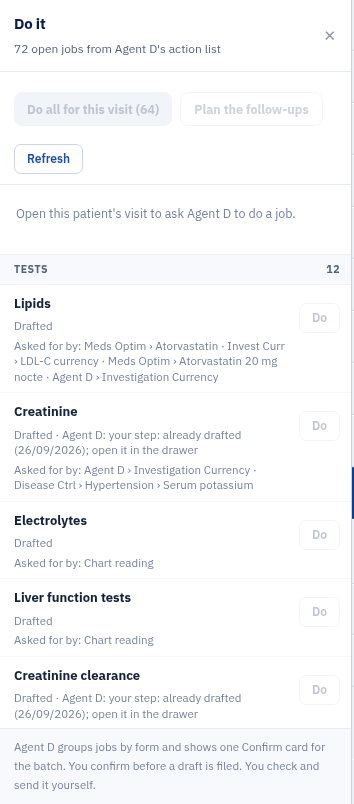
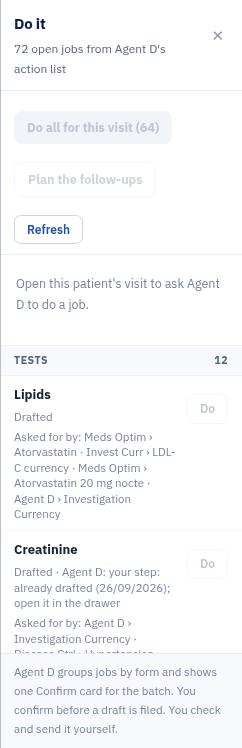
- Find Do all for this visit.

- Find Plan the follow-ups.

- Find Refresh, and Do on a row.

- Find the close cross.

What Agent D can do
Agent D populates drawer forms, generates draft correspondence, and stages recall bookings. It cannot sign, send, or file orders without doctor confirmation.
Safety (what needs your Confirm)
Clicking Do or Do all for this visit prepares draft documents on a batch Confirm card. No document is filed or transmitted until you review and confirm.
Common questions
What does Do all for this visit do?
It takes every open job identified during the consult and creates drafts on a single Confirm card for your review.
What does Plan the follow-ups do?
It schedules future recall tasks and follow-up appointments as draft reminders rather than sending immediate notifications.
What should I do if Do it shows Could not connect?
Click Try again to reconnect to the assistant service. If the issue persists, check your network connection.
Related
Last reviewed: 03/10/2026.