The Confirm card
What it does
The Confirm card is the cornerstone of clinical safety in Agent D. Before any external action takes place—including sending messages, issuing prescriptions, ordering tests, booking appointments, or charging fees—Agent D presents a Confirm card. The card details the proposed action and provides explicit confirmation buttons alongside a No button.
Also on this screen
- Confirm card (AD-051): Before a send, a charge, a booking, a call, or a file, a card asks you to press the go button or No.
- One card for a batch (AD-052): Several jobs of the same kind share one Confirm card.
- No button (AD-053): Drops the proposed act.
- Quick question form (AD-056): Agent D asks a few choices instead of a long chat. Chips, a typed answer, Decide for me, and Send answers.
When to use it
The Confirm card appears automatically whenever a command or action attempts to modify records or communicate outside the clinic.
Step by step
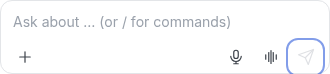
- Type a request that would write, book, bill, or send. Look at Send.
What Agent D can do
Agent D compiles the draft action and displays all relevant parameters on the card. It cannot confirm the card on its own.
Safety (what needs your Confirm)
Nothing leaves your clinic without your confirmation. If you click No, the proposed action is discarded immediately with zero impact on the chart.
Common questions
Can one Confirm card hold multiple actions?
Yes. Batched actions (such as ordering multiple blood tests or generating an entire consultation plan) share one card.
What is the Quick question form?
Before drafting, Agent D may present a brief multiple-choice form to clarify clinical preferences (such as preferred imaging modality).
Does clicking No leave a draft behind?
No. Clicking No cancels the proposed action completely and returns you to the chat.
Related
Last reviewed: 03/10/2026.