Recalls and follow-up
The Recalls and follow-up tool schedules clinical reviews, routine screening reminders, and monitoring appointments.
What it does
This tool structures patient follow-up. Clinicians can create recalls for upcoming tests, review dates, or chronic disease check-ups. You can combine multiple reasons into a single future appointment, choose between adding a recall or booking directly, and send notifications.
When to use it
Use this drawer whenever ordering tests that require formal review, scheduling chronic disease management intervals, or arranging medication reviews.
Step by step
- Select Recalls on the right tool rail, or type
/recallin the Ask Agent D box.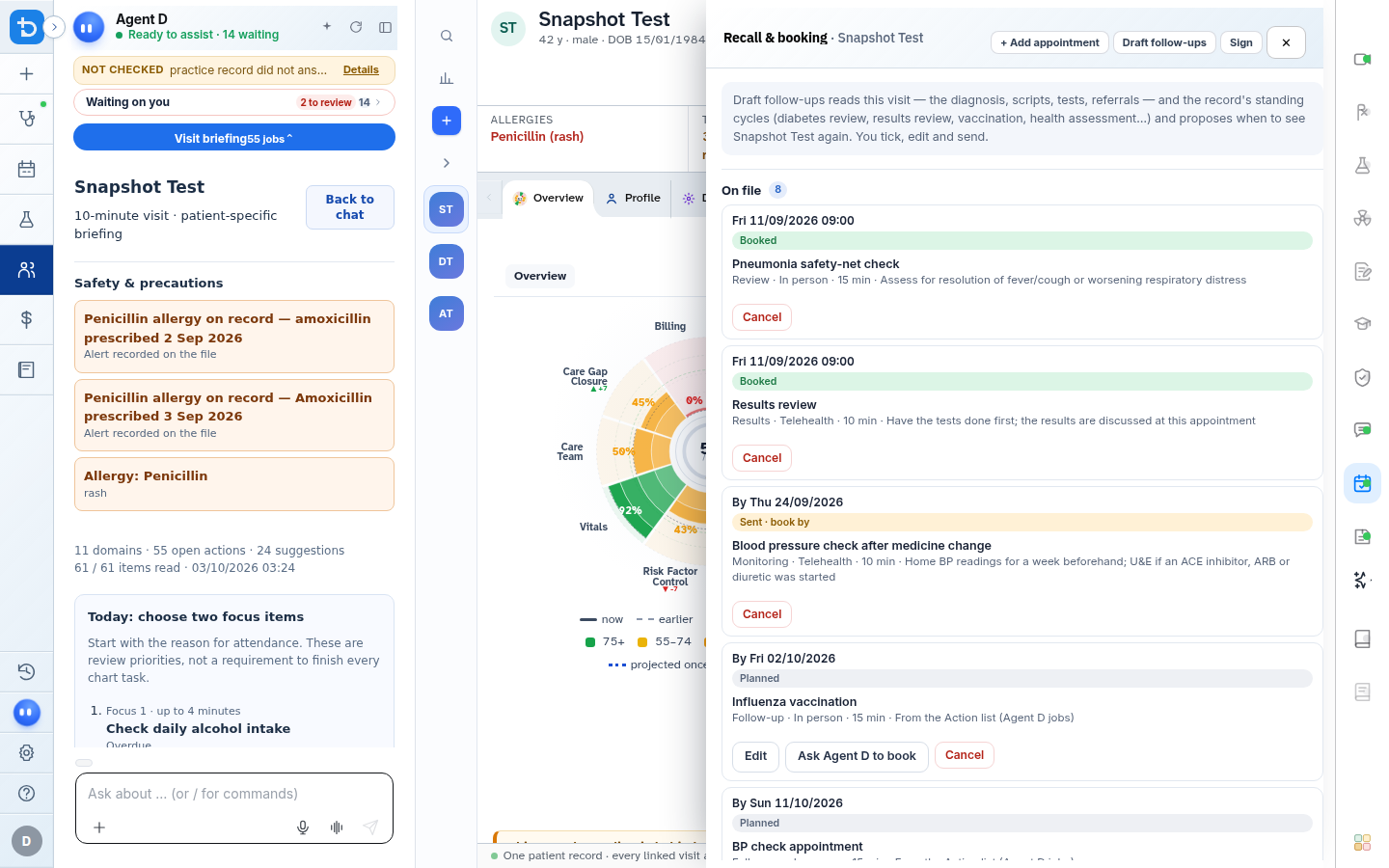
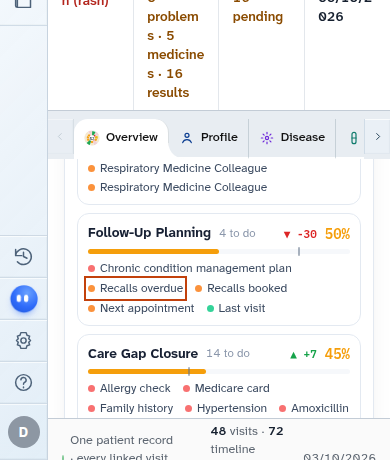
- Select recall intervals, combine or split visits, and select Sign recalls.
Also on this screen
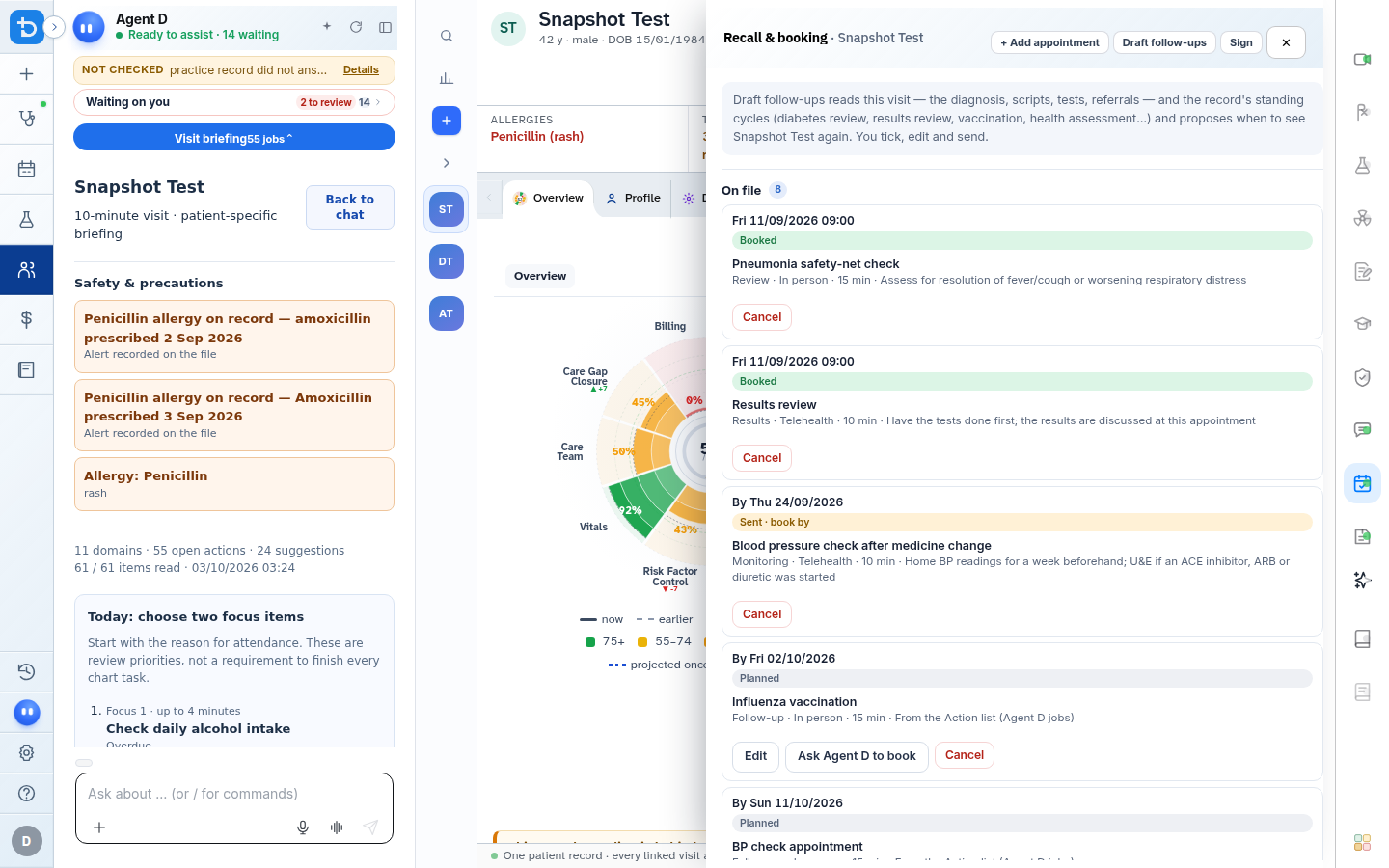
- Draft follow-ups: Automatically suggests recommended review intervals based on consultation findings and diagnoses.
- Add appointment: Manually specify visit reason, appointment type, duration, and target review date.
- Combine and separate: Combines concurrent follow-ups into one clinic appointment, or separates them across dates.
- Recall only and send: Adds the recall to the clinic reminder system without fixing a calendar slot today.
- Book and send: Reserves a specific future date and time on the appointment calendar and notifies the patient.
- Cancel a recall: Removes an active recall with an auditable clinical reason.
- Sign recalls: Commits scheduled follow-up plans to the patient medical record.
What Agent D can do
- Agent D suggests evidence-based follow-up intervals for active conditions (such as 3-month HbA1c reviews).
- Agent D bundles multiple monitoring intervals to reduce excessive clinic visits for the patient.
- Agent D cannot book appointments or send recall notices without your confirmation.
Safety (what needs your Confirm)
- Setting recall dates is a key clinical responsibility ensuring continuity of care.
- You must review and confirm all recall timeframes before signing.
Common questions
What is the difference between "Recall only" and "Book and send"?
"Recall only" adds the patient to the clinic recall queue to be contacted closer to the date. "Book and send" books the exact appointment slot immediately.
How do I cancel a recall if a patient no longer needs it?
Select the recall card, click Cancel, and provide a brief reason (such as "Condition resolved").
Can I book a follow-up with a specific practitioner?
Yes. You can nominate the preferred doctor or clinic nurse when configuring the appointment details.
Related
Last reviewed: 03/10/2026.