Preventive care
The Preventive care screen tracks clinical screening assessments, cardiovascular risk calculations, cancer screening intervals, and administered immunisations.
What it does
This screen manages routine preventive health interventions. It displays health checks categorized into scheduled screenings, automated risk calculations (such as absolute cardiovascular risk), and structured clinical assessments. It also provides a dedicated immunisation register recording vaccine brand, administration date (DD/MM/YYYY), dose, batch number, anatomical site, and route. Clinicians can record completed clinical checks and administer new immunisations directly from this panel.
When to use it
Use this screen during annual health assessments, 75+ health checks, routine child immunisation visits, cervical screening reviews, or chronic disease management planning.
Step by step
- Select Preventive in the chart sections menu to view scheduled screening checks and immunisations.
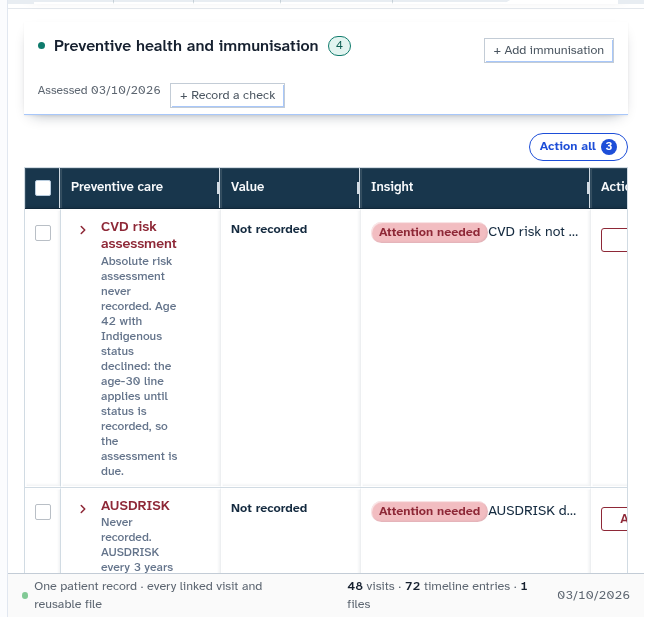
- Select Record a check to record a completed screening assessment, or Add immunisation to log a vaccine.
Also on this screen
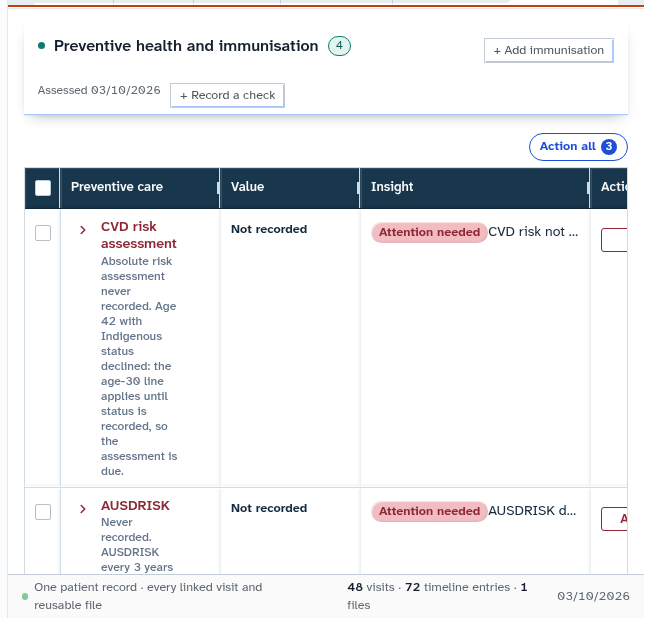
- Preventive section: Consolidated table displaying preventive care activities marked as scheduled, computed, or completed assessment.
- Record a check: Form allowing clinicians to record screening findings (such as bowel screening, mammography, or blood pressure checks).
- Add immunisation: Vaccination recording dialog capturing vaccine name, administration date, batch number, vial expiry date, and anatomical injection site.
- Immunisations as its own section: Dedicated vaccination log supporting Australian Immunisation Register reporting workflows.
What Agent D can do
- Agent D checks national preventive health screening guidelines to identify overdue assessments.
- Agent D calculates absolute cardiovascular risk scores using recorded lipid, blood pressure, and smoking data.
- Agent D drafts preventive check records and immunisation entries for clinician review.
Safety (what needs your Confirm)
- Recording completed preventive checks updates the patient clinical health record and influences quality improvement audits.
- Adding an immunisation creates an official clinical record that requires your verification of vaccine batch and administration details before saving.
Common questions
Where do the preventive screening recommendations come from?
Guidelines are based on national evidence-based preventive health guidelines for Australian general practice.
Does recording a vaccine upload the data to the Australian Immunisation Register?
Diagnify records the vaccination in the clinical chart and queues the record for sending via integrated health claiming channels upon confirmation.
Can I record screening tests done at another clinic?
Yes. Click "Record a check", select the screening type, and enter the historical completion date and reported result.
Related
Last reviewed: 03/10/2026.