Profile section and the record
The Profile section and the record screen manages encounter governance records, signed progress notes, addenda, and document sending audit trails.
What it does
This screen provides clinical record governance and audit traceability: - Profile section: Displays complete demographic and identity attributes in a detailed tabular view. - Notes and consultation records: Contains legally signed encounter records and progress notes. To maintain medicolegal compliance, signed consultation notes cannot be overwritten; new details must be added as signed addenda, or erroneous notes retracted with an explicit reason. - Timeline section: Displays chronological encounter events and documents. - Delivery audit: Fax-style sending ledger tracking outgoing SMS messages, emails, and patient app deliveries, complete with delivery timestamps and sending statuses.
When to use it
Use this screen when reviewing signed consultation notes from previous years, appending clinical addenda to finalized encounters, auditing document delivery receipts, or inspecting the patient complete audit log.
Step by step
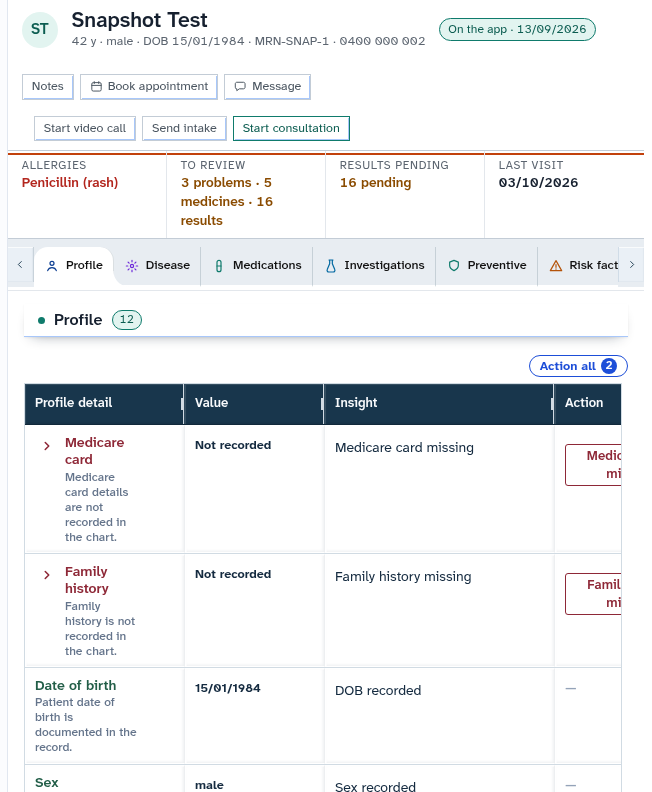
- Select Profile in the chart sections menu to view identity records and governance history.
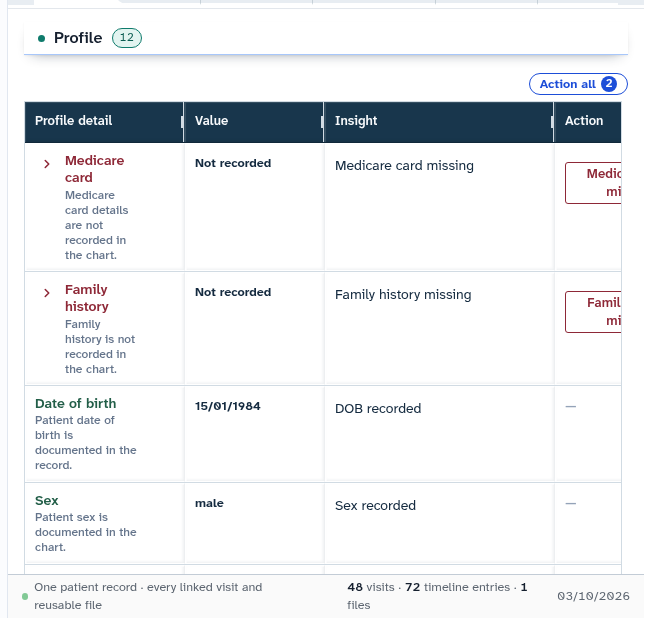
- Review the record footer to inspect total visit counts, timeline milestones, and delivery audit logs.
Also on this screen
- Profile section: Detailed table displaying patient demographic attributes, Medicare data, and concession identifiers.
- Notes section: Chronological archive of consultation progress notes.
- Timeline section: Timeline view embedded within the scrolling patient record.
- Delivery audit on the snapshot: Comprehensive delivery register recording electronic transmissions, delivery confirmations, and bounce alerts.
- Signed record with retraction: Governance safeguard ensuring finalized records can only be retracted with a documented clinical reason.
What Agent D can do
- Agent D lists encounter governance records and version histories via
patients.list_recordsandpatients.record_versions. - Agent D inspects document sending history using
patients.list_textsandpatients.audit_trail. - Agent D drafts clinical addenda to finalized notes (
patients.add_record_addendum). - Agent D cannot finalise records (
patients.finalise_record) or retract entries (patients.retract_record) without explicit clinician authorization.
Safety (what needs your Confirm)
- Finalizing a consultation note locks the document against editing to preserve medicolegal integrity.
- Appending an addendum or retracting a note requires positive doctor confirmation and documents the practitioner identity and timestamp.
Common questions
Can I edit a note that has already been finalized?
No. To preserve medicolegal compliance, finalized notes cannot be altered. You can append a signed addendum containing updated information.
What is the delivery audit trail?
The delivery audit is an immutable log that records exactly when and how documents (such as referrals or test requests) were transmitted to patients and external recipients.
How do I link an unlinked visit to a patient chart?
If a consultation was started without selecting a patient, use the visit linking action to associate the encounter session with the correct chart.
Related
Last reviewed: 03/10/2026.