Letters and forms
The Letters and forms tool generates specialist referral letters, medical certificates, and official healthcare forms pre-populated with patient facts.
What it does
This tool streamlines clinical correspondence and administrative documentation. It compiles specialist referrals with current medications, allergies, and history pre-filled. It also provides standardized templates for medical certificates, fitness to fly assessments, and Centrelink forms, complete with digital calendar pickers and clean PDF output.
When to use it
Use this drawer whenever referring a patient to a medical specialist, issuing an absence certificate for work or study, or completing statutory medical reports.
Step by step
- Select Letters on the right tool rail, or type
/referor/certin the Ask Agent D box.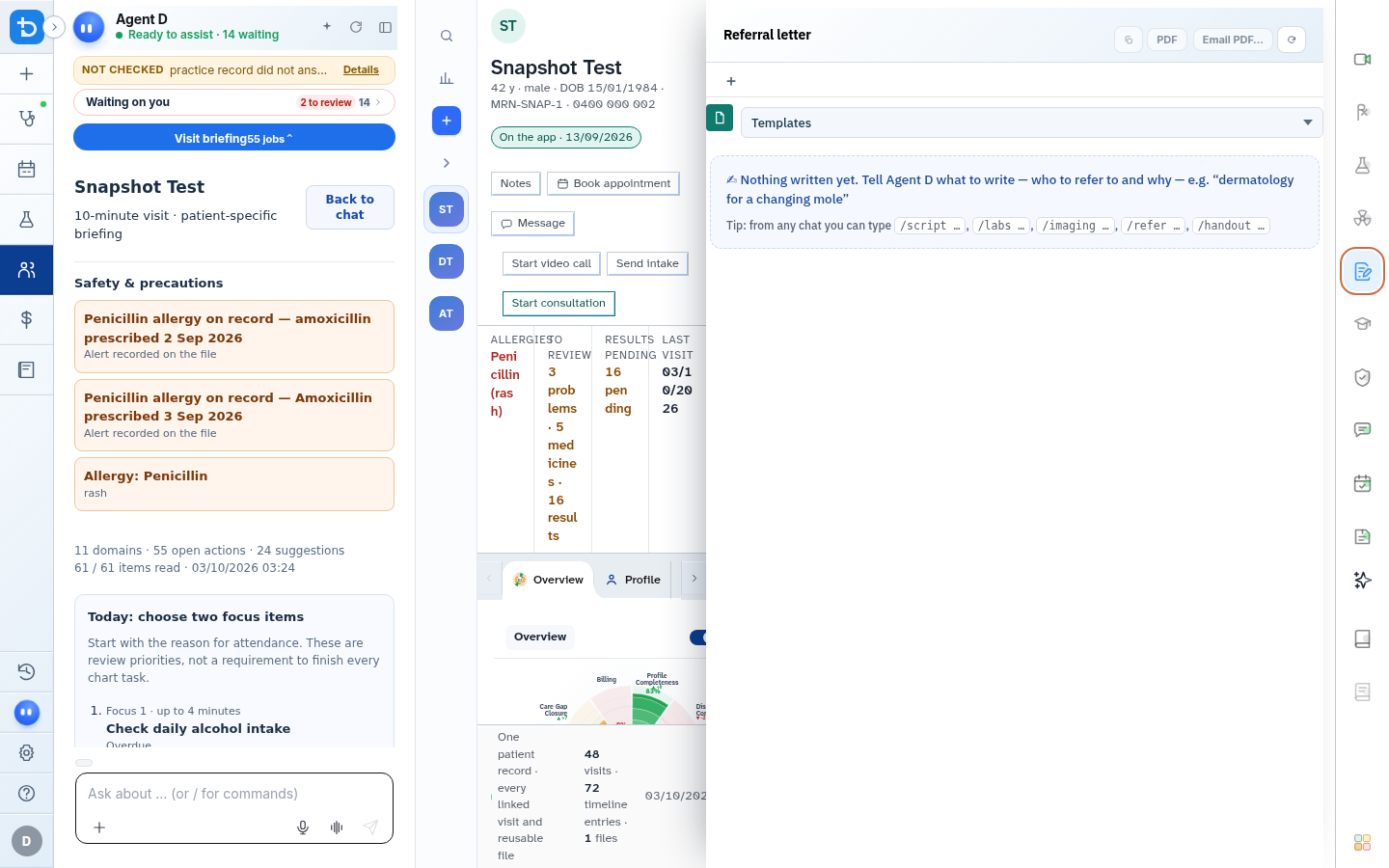
Also on this screen
- Official form templates: Pre-formatted templates for Medical Certificates, Fitness to Fly, Workcover, and Specialist Referrals.
- Date pickers on form fields: Calendar controls for selecting certificate start dates, validity periods, and review appointments.
- Attach official PDF on save: Generates an official letterhead-branded PDF with practitioner credentials and clinic contact details.
- Clinician fill: Interactive form fields allowing direct editing of clinical text before generation.
- File form: Stores signed documents securely in the patient document repository.
- Find form: Search bar to locate specific state-based or institutional clinical forms.
What Agent D can do
- Agent D brings together consultation notes and past medical history into concise, structured specialist letters.
- Agent D identifies relevant investigations to include in the referral summary.
- Agent D cannot send letters or sign certificates without your explicit confirmation.
Safety (what needs your Confirm)
- Specialist referrals and medical certificates are legal documents. You must review and sign all content.
- Medical certificates must accurately reflect your clinical assessment and valid examination dates.
Common questions
How do I issue a medical certificate for work?
Type /cert or open the Letters drawer, select Medical Certificate, choose the valid date range using the date picker, and select Sign.
Are active medications included in specialist referrals?
Yes. The patient current medication regimen, verified allergies, and active problems are automatically formatted into the referral body.
Can I email the referral directly to the specialist clinic?
Yes. Once signed, choose Email as PDF, enter or select the specialist email address, and confirm sending.
Related
Last reviewed: 03/10/2026.